Microsoft Purview E3 vs E5: How It Adds a Security Layer Across Microsoft 365 and Copilot
Understand exactly how Microsoft Purview turns business rules into labels, classification, retention, DLP, SharePoint, Microsoft 365, and Copilot controls—and where E3 ends, E5 begins, and company-owned governance remains essential.
See Purview as a Security Layer, Not a Single Product Switch
Microsoft Purview protects a company by turning business decisions about information into technical controls that travel through Microsoft 365. It can identify sensitive content, display a handling label, encrypt a document, limit an unsafe transfer, retain a record, dispose of expired content, record activity, and preserve material for an investigation. Those controls are valuable because they operate close to the data and to the action a person is taking.
Purview is not a replacement for identity, permissions, endpoint security, backups, secure configuration, or employee judgment. It is the information-centered layer between those systems. Microsoft Entra decides who a person is. SharePoint and Teams permissions determine what that person can reach. Purview evaluates what the information represents, how it should be handled, how long it must exist, and what should happen when somebody tries to use it in a risky way.
The protection chain is straightforward:
- The company decides. Data owners, Legal, Privacy, Security, Records Management, HR, and AI governance leaders define acceptable use and mandatory handling.
- Purview recognizes. Sensitive information types (SITs), labels, trainable classifiers, Exact Data Match, and contextual signals identify relevant content or activity.
- Policies evaluate. Label, retention, DLP, insider-risk, communication, audit, and investigation configurations apply the approved rule to a defined population and location.
- Microsoft 365 acts. The service can recommend, label, encrypt, warn, block, retain, delete, log, alert, or route an event for review.
- People operate the control. Owners review false positives, exceptions, incidents, adoption, evidence, and policy changes.
This means the strongest deployment begins with a control objective, not with a portal screen. “Prevent unrestricted external transfer of customer identity records” is a control objective. “Create a DLP rule containing five SITs” is one implementation. Keeping that distinction makes the protection understandable, testable, and adaptable.
Use E3 as the Foundation and E5 as the Extension Layer
Microsoft licenses Purview by capability and by the users who benefit from that capability. Do not read “E3” or “E5” as a universal on/off switch. Add-ons, workload plans, government clouds, preview features, and product changes can alter the exact entitlement. Before rollout, compare the current Microsoft Purview service description with the Microsoft 365 compliance licensing comparison and the tenant’s actual subscriptions.
The practical architecture is still clear: Microsoft 365 E3 supports a serious baseline, and E5-level licensing expands automation, locations, analytics, and investigation depth.
| Security capability | Practical E3 foundation | Typical E5-level extension |
|---|---|---|
| Sensitivity labels | Create, publish, and let users apply labels in supported apps and services | Client-side and service-side automatic labeling, broader advanced classification and analytics |
| DLP | Protect Exchange Online, SharePoint Online, and OneDrive content | Add Endpoint DLP, Teams DLP, advanced conditions, enhanced policy tips, and qualifying Copilot controls |
| Retention | Organization- and location-wide retention policies; create and publish retention labels | Advanced records management and automatic retention-label scenarios based on richer signals |
| Audit and eDiscovery | Standard audit and core search, hold, export, and case workflows | Longer/richer audit and premium eDiscovery workflows, depending on the exact entitlement |
| Data visibility | Core classification and policy signals | Deeper explorers, analytics, risk context, and advanced posture capabilities |
| AI data protection | Existing labels, permissions, retention, audit, and supported compliance controls remain relevant to AI | Broader AI activity insight and advanced DLP, investigation, or risk controls for qualifying users and services |
Two licensing mistakes create weak designs. The first is assuming E3 has no useful protection and waiting for E5 before classifying or governing data. The second is designing an E5 policy, assigning it to E3-only users, and treating an incomplete rollout as successful. Build a user-to-feature license matrix, attach it to each policy design, and test with accounts that represent the actual license combinations.
Microsoft 365 Copilot is a separate product entitlement. An E3 or E5 subscription can supply the Microsoft 365 and Purview foundation, but it does not by itself license Copilot. Record the Copilot license, the Purview feature entitlement, the policy scope, and the data location independently.
Sensitivity Labels Give Information a Durable Handling Identity
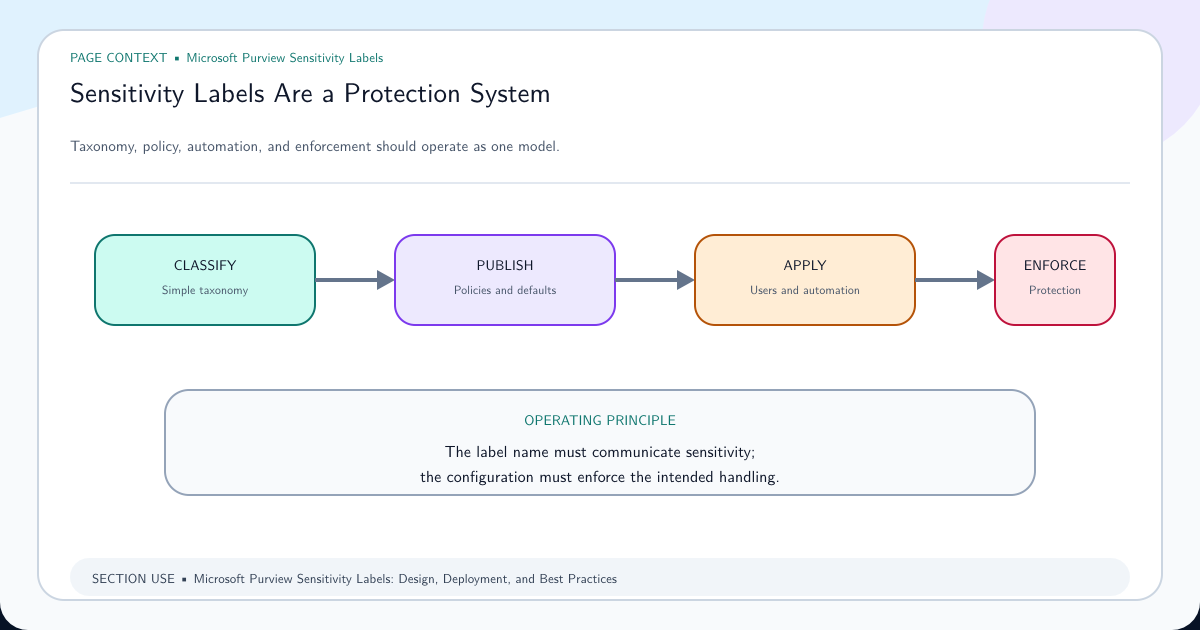
A sensitivity label answers a business question: how must this information be handled? A useful taxonomy might progress from Public to Internal, Confidential, and Highly Confidential, with limited sublabels for meaningful differences such as customer data, employee data, privileged legal material, or acquisition work.
The visible label is only one part of the control. Depending on configuration and workload support, a label can apply encryption, restrict who can open a file, add headers or watermarks, limit external sharing for a team or SharePoint site, and give DLP another reliable condition. Because a file label and its protection can remain with a supported document after download, the control is more durable than a folder name alone.
Design labels around actions people understand:
- Public permits approved external distribution and requires no encryption.
- Internal signals that ordinary company collaboration is allowed but public publication is not.
- Confidential requires deliberate external sharing and may add protection or a justification when downgraded.
- Highly Confidential restricts access to a named group and prevents uncontrolled onward use.
Avoid building a label for every department. Users should choose a handling outcome, not decode an organizational chart. Write a plain-language description and “when to use” example for each label, decide whether encryption is required, test coauthoring and external collaboration, and define who can relabel or remove protection. The sensitivity label design and deployment guide takes that taxonomy through publishing and adoption. Complete the encryption readiness and auto-labeling checks before enforcing protection at scale.
If a person says “I cannot open the board pack,” do not immediately weaken the label. Confirm which label is applied, whether it encrypts, the authorized users or groups, the person’s signed-in identity, the application and version, and whether guest access was designed. The incident may reveal an identity or policy-scope error rather than a need to remove protection.
Auto-Labeling, SITs, and Label Policies Form One Decision Pipeline
These components have different jobs. A sensitive information type detects a pattern or known data shape, such as a payment-card number supported by corroborating evidence. A sensitivity label defines the handling outcome. A label policy publishes labels and related behavior to selected users and groups. Auto-labeling connects evidence to an action so the service or application can recommend or apply the appropriate label.
That separation matters. A broad SIT does not prove that every match deserves encryption, and publishing a label does not automatically discover existing content. Build the logic as a traceable sentence: “When content in these locations contains this evidence at this confidence and count, apply or recommend this label to these users, unless this documented exception applies.”
Use the detection method that matches the risk:
| Signal | Best fit | Main design risk |
|---|---|---|
| Built-in SIT | Common, recognizable identifiers | Context and confidence may not match company data |
| Custom SIT or regex | Stable company-specific format | Loose expressions create false positives |
| Keyword dictionary | Controlled terminology | A keyword alone often lacks intent and context |
| Exact Data Match | Exact values from an authoritative dataset | Source-data preparation, refresh, and governance are essential |
| Trainable classifier | Meaning expressed by the document as a whole | Training quality, licensing, explainability, and drift |
For high-value identifiers such as customer numbers or employee IDs, Exact Data Match sensitive information types can reduce noise by comparing detected values with a protected fingerprint of an approved source dataset. Use supporting evidence and confidence levels; do not treat a large regex as a substitute for data understanding.
E3 users can participate in a manual-labeling program. E5-level entitlements are normally required for client-side and service-side automatic sensitivity labeling. Follow the current Microsoft automatic sensitivity labeling guidance, run the policy in simulation where available, inspect representative matches and misses, then introduce automation in stages. Automatic does not mean unattended: a data owner must approve the rule, a service owner must monitor it, and a support path must handle incorrect labels.
Data Retention Controls Evidence, Obligations, and Defensible Disposal
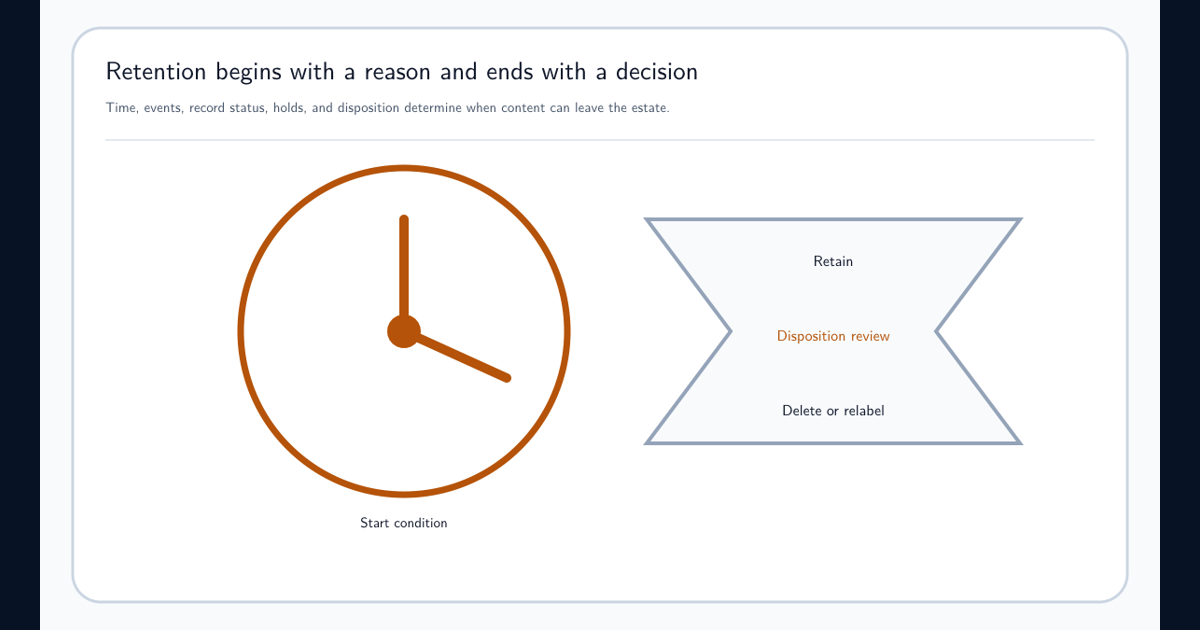
Retention answers a different question from sensitivity: how long must this information remain, and what happens at the end? A contract can be Highly Confidential and retained for seven years. A public announcement can have low sensitivity but still be an official record. Treating retention as another confidentiality level produces both over-retention and accidental deletion.
Use broad retention policies for common location-wide requirements and retention labels when content needs a specific lifecycle, event basis, record declaration, or disposition behavior. E3 supports important baseline retention-policy and retention-label capabilities. E5-level licensing extends advanced records and automatic-application scenarios; check the exact feature entitlement before relying on it.
A defensible rule records:
- the record category and authoritative legal or business requirement;
- the event that starts the period, such as contract expiry or employee departure;
- the Microsoft 365 locations and content in scope;
- the retention duration and whether deletion follows;
- whether the item is a record and which actions must be restricted;
- the owner, approval, exception, legal-hold interaction, and evidence of disposal.
Follow the Microsoft retention deployment guidance and the detailed retention and records management guide to translate the schedule into controls. Before publication, test competing policies, label priority, preservation behavior, deletion timing, and what users see.
When a SharePoint site cannot be deleted, do not remove every retention control. Identify the content, site, retention policy, retention label, record status, and legal hold that applies. Ask the Records and Legal owners whether the obligation still exists, document the authorized change, and preserve an audit trail. A deletion obstacle is often the control working as designed.
DLP Intervenes When Data Is About to Leave Its Approved Path
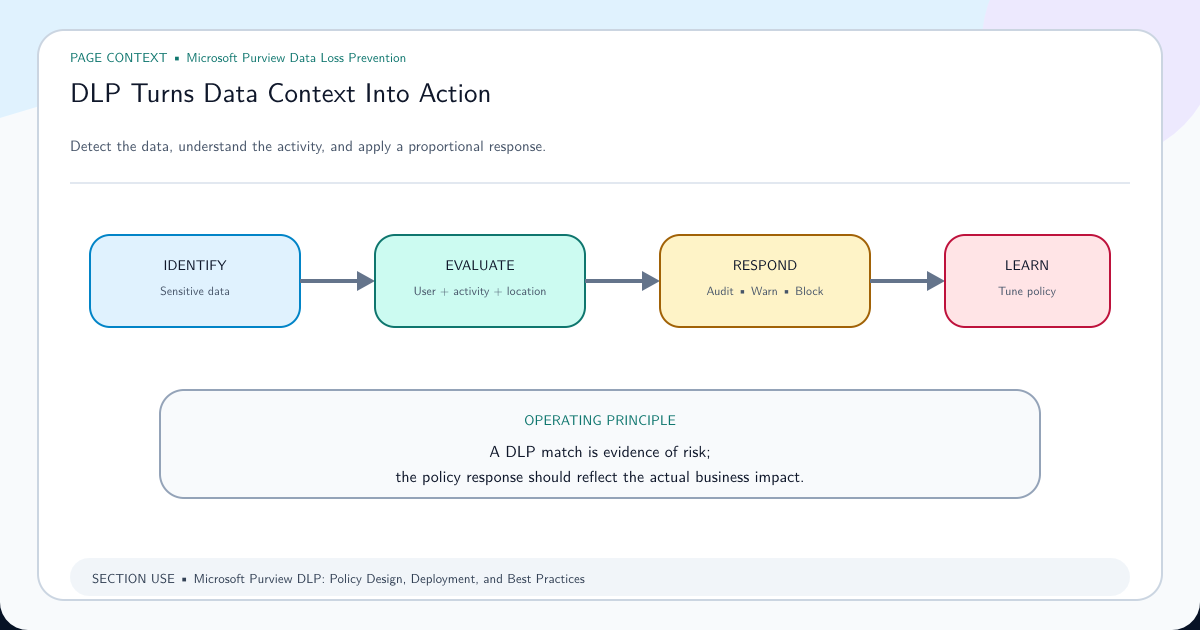
Data Loss Prevention evaluates content and context at the moment of use. A DLP rule can combine a SIT, sensitivity label, user or group, sharing destination, device state, application, and other supported conditions. Its response can be silent logging, a user tip, a warning with justification, a block with override, a hard block, an alert, or an incident for investigation.
E3 supplies meaningful protection for Exchange Online, SharePoint Online, and OneDrive. That baseline can stop or coach common cloud-sharing and email scenarios. E5-level entitlements extend coverage to locations such as endpoints and Teams and add qualifying advanced conditions, analytics, and Copilot-related controls. Confirm the exact feature, user, and workload in the Microsoft DLP policy reference.
Design the response in proportion to the risk:
| Situation | Useful first response | Why |
|---|---|---|
| One low-confidence personal identifier sent internally | Audit or educate | Blocking would interrupt legitimate work with weak evidence |
| A customer-data label shared to a personal domain | Warn, require justification, or block | The label and destination provide stronger intent |
| A large set of verified customer records copied to removable media | Block and alert | Exact data, volume, endpoint channel, and destination create high confidence |
| Source code pasted into an unapproved generative AI website | Warn or block through supported Endpoint DLP controls | The action leaves the approved AI and collaboration boundary |
Use the DLP policy design and deployment guide to build conditions and incident routing. Begin with a simulation-first deployment: measure matches, validate business processes, fix noisy detectors, test overrides, train the support desk, and only then increase enforcement.
If a legitimate upload is blocked, capture the policy and rule name, matched evidence, location, destination, user, device, application, and override state. The response is not “turn off DLP.” Use an approved exception with an owner and expiry, correct the classification, or redesign the business route so sensitive data remains controlled.
SharePoint Is Both a Collaboration Surface and a Security Boundary
SharePoint holds the files behind sites, many Teams experiences, and much of the content Microsoft 365 Copilot can ground against. Purview can inspect and act on supported files there, but only when the required tenant settings, label publication, file support, policy scope, and licensing are in place.
Enable the required integration described in Microsoft guidance for sensitivity labels in SharePoint and OneDrive. This lets supported Office web experiences apply labels and allows SharePoint to process supported labeled and encrypted content for capabilities such as coauthoring, search, eDiscovery, and DLP. Some encryption configurations and legacy formats have limitations, so test the actual document types and protection methods used by the business.
Keep two label scopes distinct. A container label configures the SharePoint site or Microsoft 365 group—for example, privacy, guest access, and external-sharing behavior. A file sensitivity label travels with the document and can apply marking or encryption. Labeling a site does not automatically stamp every file with the same file label.
Purview also does not repair excessive access by itself. If “Everyone except external users” can read a site, Copilot or search can make that existing oversharing easier to discover. Review site ownership, stale sites, broad groups, guest access, sharing links, and permission inheritance alongside Purview policies.
When a label works in desktop Office but appears ignored in the browser, use the SharePoint browser label troubleshooting guide. Check the tenant enablement, supported format, encryption method, label publication, user license, policy propagation, and whether the test file was uploaded or modified before concluding that the control failed.
Microsoft 365 Turns One Policy Model Into Several Enforcement Surfaces
Employees experience Microsoft 365 as connected work, but each workload handles information differently. Exchange transports messages. SharePoint and OneDrive store documents. Teams adds conversations and points users to files stored in SharePoint or OneDrive. Word, Excel, PowerPoint, and Outlook expose labels and policy tips. Windows endpoints can observe actions after data leaves a cloud service when Endpoint DLP is correctly licensed and onboarded.
A security architecture therefore maps each control to its enforcement surface:
| Business event | Primary surface | Purview role | Dependency to verify |
|---|---|---|---|
| Employee emails a customer spreadsheet externally | Exchange and Outlook | Detect, coach, block, label, alert | DLP scope, recipient logic, policy tips, user license |
| Employee shares a proposal link | SharePoint or OneDrive | Evaluate content and sharing action | Site permissions, link type, supported file, DLP location |
| Employee posts sensitive text in a chat | Teams | Evaluate supported message content | Teams DLP entitlement and policy scope |
| Employee copies a labeled file to USB | Windows endpoint | Inspect device activity and enforce | Endpoint DLP entitlement, device onboarding, browser/app support |
| Investigator reconstructs events | Audit and eDiscovery | Search activity, preserve, collect, review | Audit/eDiscovery entitlement, roles, retention, time range |
Do not promise uniform behavior without testing. A label or DLP rule can behave differently by file type, application version, platform, offline state, browser, workload, and policy propagation. Create a test matrix that represents Windows, macOS, web, mobile, managed and unmanaged devices, internal and guest identities, and the collaboration routes that matter.
When an incident occurs, use Audit and eDiscovery investigations to preserve and reconstruct evidence rather than relying on screenshots. Record time in UTC, identity, device, workload, object, policy, rule, action, override, and resulting access. Investigation is the feedback loop that tells policy owners whether the preventive layer is working.
Copilot and Purview AI Policies Protect the Data Around the AI Interaction
Microsoft 365 Copilot does not create a new permission model. It operates against content the signed-in user can access. That makes existing oversharing, stale access, weak classification, and unclear retention more visible and more urgent. The first AI security project is therefore a governed Microsoft 365 data foundation, not a prompt blocklist.
Build AI protection in four rings:
- Grounding data. Reduce broad SharePoint and OneDrive access, assign owners, remove stale sharing, and label high-risk content.
- Interaction controls. Apply supported DLP, sensitivity, retention, and communication controls to Copilot prompts, responses, or referenced files according to the current capability and license.
- Third-party AI routes. Where supported, Endpoint DLP can warn or block sensitive content being pasted or uploaded to unapproved generative AI sites.
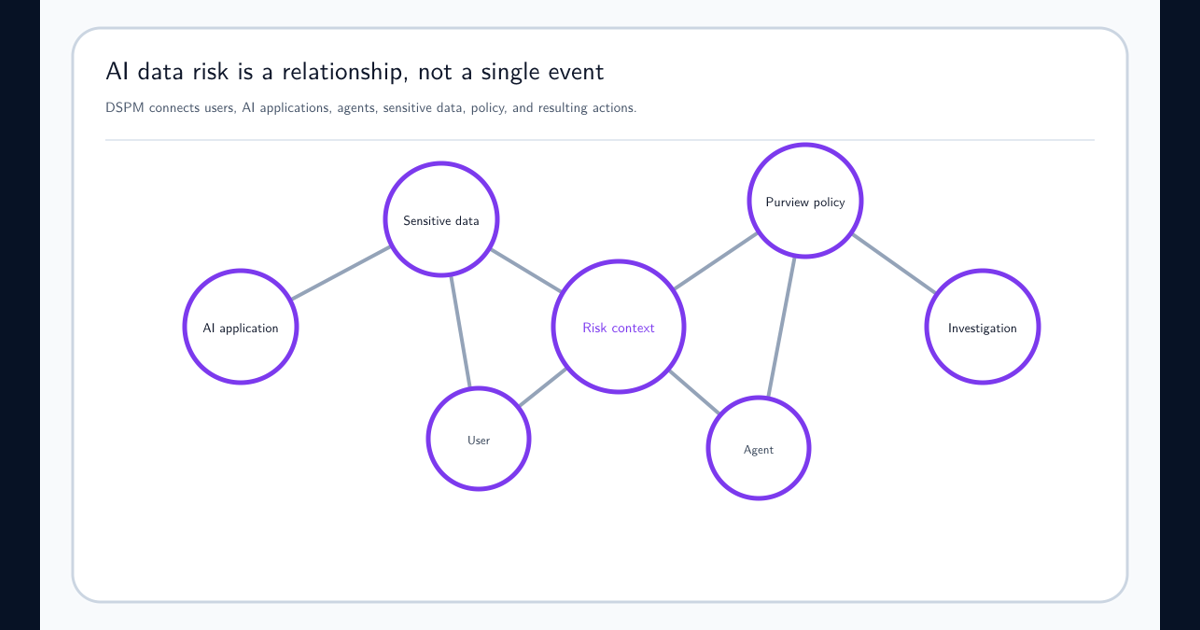
- Visibility and response. Use audit, Data Explorer experiences, DSPM, alerts, and investigations to understand AI use and improve controls.
The Microsoft Purview data security and compliance protections for generative AI documentation and Microsoft’s secure and governed data foundation for Microsoft 365 Copilot should anchor the technical design. Use the DSPM for AI guide to connect observed AI use with an owned remediation rather than treating a dashboard recommendation as proof of safety.
A policy that restricts Copilot from processing certain labeled files or emails is not the same as revoking access to the source. Test direct access, search, sharing, and Copilot grounding separately. Also distinguish Microsoft 365 Copilot from third-party AI websites and custom agents: the telemetry, enforcement point, license, and supported action differ.
If a user reports that Copilot surfaced an inappropriate document, preserve the prompt and response according to authorized investigation procedures, identify every source citation, confirm the user’s effective permissions at the event time, review the site and link history, inspect the label and DLP coverage, and correct the source access. Do not begin by trying to suppress the single prompt; fix the underlying authorization or data-governance failure.
Policies, Standards, Procedures, and Control Objectives Make Purview Governable
Purview cannot decide what the company considers confidential, which AI uses are acceptable, how much business disruption is tolerable, or who may approve an exception. Those are governance decisions. Without them, portal configurations become disconnected rules that nobody can defend, test, or maintain.
Build an explicit hierarchy:
| Governance artifact | What it must answer | Purview implementation example |
|---|---|---|
| Policy | What outcome is mandatory and why? | Company information must be classified and protected according to risk |
| Standard | What minimum, measurable requirement applies? | Customer identity datasets use Confidential–Customer and external sharing is restricted |
| Procedure | Who performs which steps, in what order? | Data owner requests a label; Security simulates; service owner approves; support handles exceptions |
| Control objective | What risk reduction must be demonstrated? | Prevent unapproved disclosure of verified customer identifiers through supported email, cloud, endpoint, and AI paths |
| Technical control | Which configuration enforces or detects it? | SIT or EDM + label + DLP rule + alert + audit retention |
| Evidence | How can an assessor know it operated? | Policy export, approval, test results, alerts, exceptions, incidents, metrics, review minutes |
AI GRC extends—not replaces—this hierarchy. Maintain an inventory of AI systems, models, agents, plugins, grounding sources, vendors, users, and data flows. Approve use cases against data classifications. Define prohibited data and uses, human-review requirements, output verification, transparency, intellectual-property rules, privacy and employee-monitoring boundaries, model/vendor risk, prompt and response retention, security testing, incident response, and an exception process.
Assign accountable owners. The data owner approves meaning and access. Security owns technical guardrails and monitoring. Privacy and Legal interpret obligations. Records Management owns retention schedules. HR and employee representatives address workforce impacts. AI governance approves use cases and human oversight. Microsoft 365 service owners operate the platform. Internal Audit or Compliance tests evidence independently.
Map each technical configuration to a control objective and retain evidence through Compliance Manager controls and evidence or the company’s GRC system. A dashboard score can help organize work, but it is not assurance. Assurance comes from approved design, operating evidence, exceptions, incidents, and repeated effectiveness tests.
Follow the Control Chain Through Real Company Situations
A useful architecture can explain an event from business rule to technical outcome.
A sales employee emails a customer export to a personal account. The customer register or verified identifiers provide classification evidence. The Confidential–Customer label communicates the handling rule. Exchange DLP evaluates the recipient, evidence, volume, and label; it blocks or requires a controlled exception and alerts the response owner. Audit preserves the event. The owner reviews whether the user needed an approved transfer route. E3 can cover a strong Exchange-based version of this scenario; E5 extends the same objective to more advanced signals and endpoint routes.
A project team has shared its SharePoint site too broadly. The site label can constrain guest and sharing settings, but the owner must still correct memberships and links. File labels protect the most sensitive documents, DLP evaluates risky shares, retention preserves required records, and access review removes stale reach. If Copilot cites the content to an internal user who already had access, the durable fix is permission and ownership remediation.
An analyst pastes source code into a public AI website. Endpoint DLP can detect a supported browser or network action, use a classifier, SIT, or label as evidence, and warn or block under the applicable E5-level entitlement. The AI acceptable-use standard defines approved tools and prohibited content. Security investigates repeated events while the AI governance owner decides whether the business needs a sanctioned alternative.
Legal opens an investigation after a suspected disclosure. Audit provides activity evidence, eDiscovery preserves and collects relevant material, labels and DLP events provide context, and retention prevents ordinary lifecycle rules from destroying content subject to hold. The investigation result feeds detector tuning, training, access remediation, and control testing.
In every situation, Purview adds value because the signal, policy, action, evidence, and accountable owner remain connected. A block without a business route merely displaces work; a label without a handling rule becomes decoration; and a dashboard without response ownership becomes observation without protection.
Build the Security Layer in an Order the Company Can Operate
Do not enable every Purview feature at once. Build a coherent minimum control system, prove it works, and expand deliberately.
- Establish ownership and scope. Name executive, data, policy, platform, incident, records, privacy, legal, and AI governance owners. Inventory Microsoft 365 locations, important data flows, user populations, licenses, guests, endpoints, and AI services.
- Approve the information model. Define a small sensitivity taxonomy, authoritative retention schedule, priority data classes, acceptable sharing, approved AI use, prohibited actions, exceptions, and evidence requirements.
- Create the E3 baseline. Publish usable sensitivity labels; enable and validate SharePoint/OneDrive label support; apply core retention; deploy Exchange, SharePoint, and OneDrive DLP in test mode; confirm audit and eDiscovery access.
- Test complete journeys. Use representative users, data, devices, applications, guests, sites, and business processes. Measure false positives, misses, policy tips, overrides, access failures, propagation, alert routing, and recovery.
- Add E5 where risk justifies it. Prioritize automatic labeling, Endpoint DLP, Teams DLP, advanced analytics, records, audit, eDiscovery, and AI controls according to risk and operating capacity—not feature novelty.
- Operationalize. Train users and support teams, publish exception procedures, route incidents, review policy changes, refresh classifiers and EDM sources, and collect evidence.
- Measure outcomes quarterly. Track coverage, label adoption, high-confidence detections, override quality, unresolved alerts, overshared sites, retention exceptions, AI-policy events, investigation time, repeat incidents, and control-test results.
The completion test is not “the policy is enabled.” A mature control has a documented objective, licensed population, known dependencies, approved design, successful representative tests, trained users, an exception path, an incident owner, retained evidence, and a review date. If any of those elements is absent, the security layer has a gap.
The result is not an impenetrable wall. It is a governed system that recognizes important information, keeps protection close to the data, interrupts unsafe use, preserves evidence, and learns from real activity. That is how Microsoft Purview—built on an E3 foundation and extended with E5 where the risk demands it—adds a practical security layer to the company.
Frequently asked questions
Can Microsoft Purview protect a company with Microsoft 365 E3?
Yes. E3 can establish a meaningful baseline with manual sensitivity labeling, standard retention, Audit Standard, eDiscovery Standard, and DLP for Exchange Online, SharePoint Online, and OneDrive. The exact entitlement is feature-specific, so validate the current service description and product terms for the tenant.
What security capabilities does E5 add to Purview?
E5-level entitlements extend the baseline with capabilities such as automatic sensitivity labeling, Endpoint DLP, Teams DLP, advanced DLP conditions and analytics, and advanced audit, investigation, records, and AI-related controls. Some capabilities can also be licensed through compliance or information-protection add-ons.
Does Microsoft 365 E3 or E5 automatically include Microsoft 365 Copilot?
No. Microsoft 365 Copilot has its own licensing requirements. E3 or E5 supplies identity, collaboration, and Purview foundations, while the applicable Copilot license enables the Copilot service. Confirm the current licensing terms before designing controls.
Does enabling Purview make Microsoft 365 data secure by itself?
No. Purview enforces and records configured rules on supported paths. The company must still define data ownership, permitted use, classification, retention, sharing, AI use, exceptions, investigations, testing, and evidence requirements, then operate and improve those controls.
Are sensitivity labels and retention labels the same?
No. A sensitivity label communicates and can enforce how information must be handled, such as encryption or external-sharing restrictions. A retention label controls how long content must be kept, when it can be deleted, and whether it is treated as a record. One item can require both.