Defense in Depth Explained: Layers That Work Together
Defense in depth combines safeguards so one failure leaves other protections. Explore their roles, shared dependencies, and a worked example.
Defense in depth, in plain language
Defense in depth is a security strategy that combines safeguards with different roles so a failure or bypass leaves other ways to prevent harm, limit its spread, detect it, respond, and recover. The layers include people, procedures, physical protection, and technology.
For example, endpoint protection may miss an intrusion on a designer’s laptop. Restrictions on shared files can still limit what the affected account reaches. Monitoring can reveal unusual changes, responders can contain the activity, and protected copies can support recovery. Each safeguard needs to work in the actual service, with someone responsible for maintaining it.
NIST’s definition combines people, technology, and operational capabilities across an organization. The central design question is: if this safeguard fails, what still protects the important outcome?
Start with a loss you want to prevent
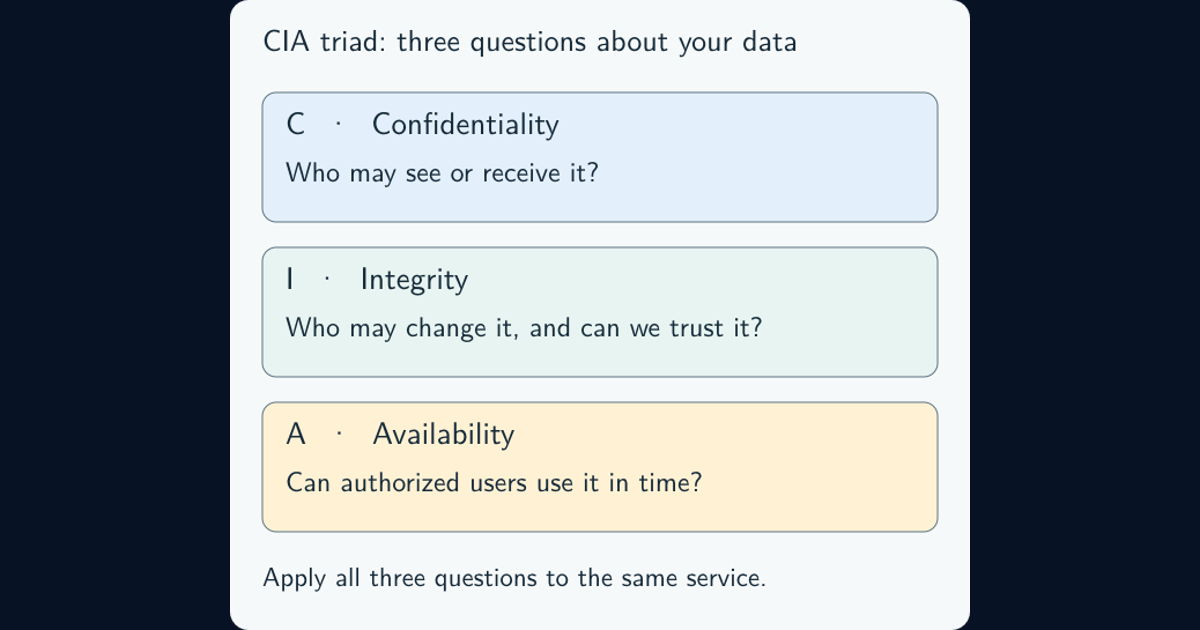
Suppose a design studio needs to protect unreleased drawings and deliver completed projects on time. An attacker using a compromised laptop might exploit the user’s existing access: viewing some folders, editing others, and reaching any administration the account permits. The studio needs to limit disclosure, preserve legitimate changes, and restore usable files after damage—the objectives explained in the CIA triad guide.
Describe the relevant path: laptop, signed-in identity, shared project folder, sensitive drawings, and the administration behind that service. Include cloud sharing and remote access where the studio actually uses them. A network-only sketch may miss the direct path from a stolen session to a hosted file service.
Then place controls where they can change that path. NIST’s PL-8(1) control calls for coordinated controls at chosen locations and layers. A safeguard elsewhere in the diagram may contribute little to this particular loss.
Worked example: the laptop barrier has already failed
This is an illustrative design, not a claim that every file service supports the same features.
| Safeguard | Job after the laptop is compromised | Important limit |
|---|---|---|
| Project-scoped access | Deny access to unrelated drawings | Assigned files remain reachable |
| Restricted administrative access | Keep the editor out of service and backup administration | Must cover effective rights and alternate routes |
| File-activity monitoring | Surface relevant unusual changes or downloads | Needs usable events, sensible rules, and follow-up |
| Practised containment | Limit further activity through the appropriate device, identity, or session action | Scope and timing depend on the service |
| Protected recovery copies | Restore trusted versions after damage | Cannot retrieve copies already stolen |
Least privilege reduces the account’s reach; it does not make permitted access harmless. Similarly, phishing-resistant sign-in helps resist credential theft but does not establish that an existing device or session is safe. Session hijacking explains why those paths need separate attention.
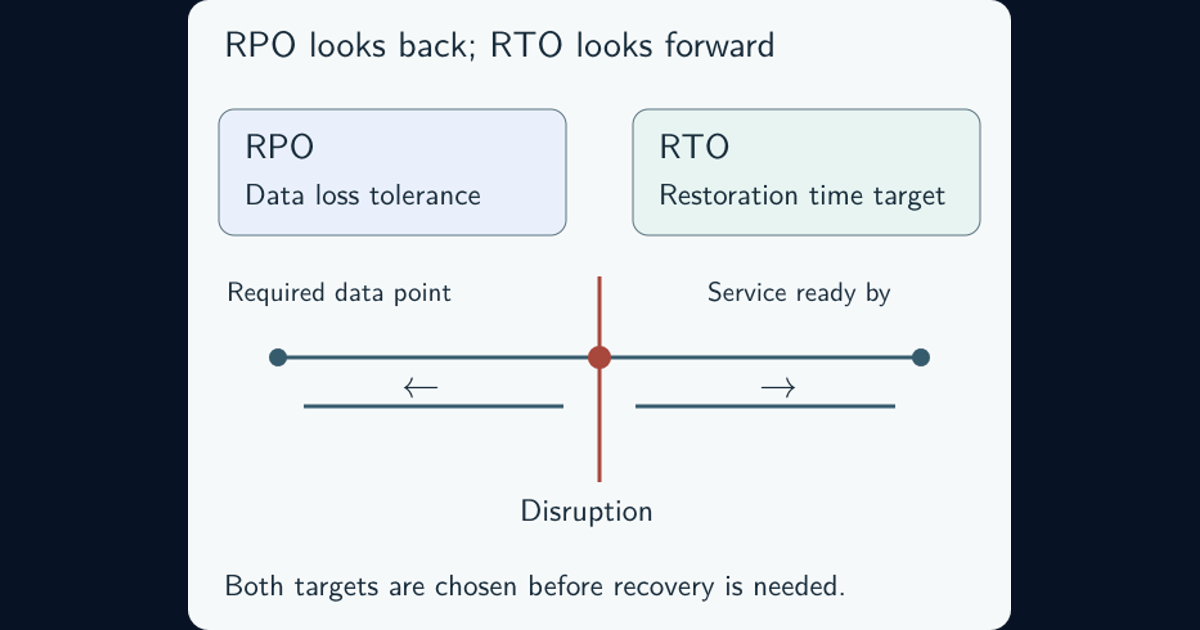
For recovery, CIS Control 11’s assessment guidance includes protecting recovery data, keeping an isolated instance, and testing restoration. The RPO/RTO resource develops the recovery targets beyond this example.
A layer is useful because of its job, not its number
Layer diagrams often show identity, network, endpoint, application, and data security. These are useful places to look for controls, rather than a mandatory sequence every attacker must traverse. A malicious insider may begin with authorized access; a cloud session may reach data without passing through an office network.
Physical controls protect equipment and facilities. Technical controls enforce or observe system behavior. Administrative controls establish responsibilities, rules, and procedures. The CIS defense-in-depth guidance brings these protections together. There is no universal layer count that proves a design is adequate.
Also distinguish the function. A restrictive permission can prevent an action; a log records it; an alert prompts attention; a response procedure helps someone act. Logging alone does not block a file download. In an application, OWASP’s authorization guidance calls for permission checks on requests, so a visible sign-in screen is insufficient proof that each resource is protected.
Look for failures that can cross several layers
Consider a hypothetical administrator account that can alter file permissions, disable event collection, and delete recovery copies. Three products may exist, yet misuse of that one authority could weaken all three protections. Reviewing only each product’s own settings would miss this connection.
NIST’s engineering discussion of failure protection warns that similar mechanisms can be susceptible to repeated attacks and that added complexity has costs.
For the studio, review which identities can change each safeguard, whether important logs and recovery copies retain protection after production access is compromised, and how responders regain control. Ask the same questions about shared management services and recovery dependencies.
Different suppliers do not automatically solve this problem. Inspect the actual authority, configuration, integration, and failure behavior. Choose useful separation where the consequence justifies it, while keeping administration and recovery workable.
Connect detection to someone who can act
An alert can arrive too late, reach an unattended queue, or omit the affected resource. A containment action can revoke one session while leaving another route active. Those are breaks between safeguards that a product list will not reveal.
Decide what events matter, who reviews them, how urgent cases reach that person, and what action they may authorize. CIS Control 17 includes defined roles, communications, and exercised response capability. Use the incident response lifecycle for the fuller operational process.
Rehearse a small, authorized scenario with test files and identities. Follow the event through collection, alerting, investigation, and a reversible containment action. Check the result at the target service. Keep a restoration route and agreed stop conditions so the exercise does not damage real projects.
Judge depth by what survives a controlled test
Record the scenario, systems and identities covered, controls expected to act, observed outcomes, and unresolved gaps. Then ask whether legitimate work still succeeds. A rule that blocks everyone may stop an attack while also stopping delivery.
The existing detection-validation guide explains how benign and suspicious test activity reveal different failures. Configuration changes also need follow-up: the system-hardening guide covers drift from the intended settings.
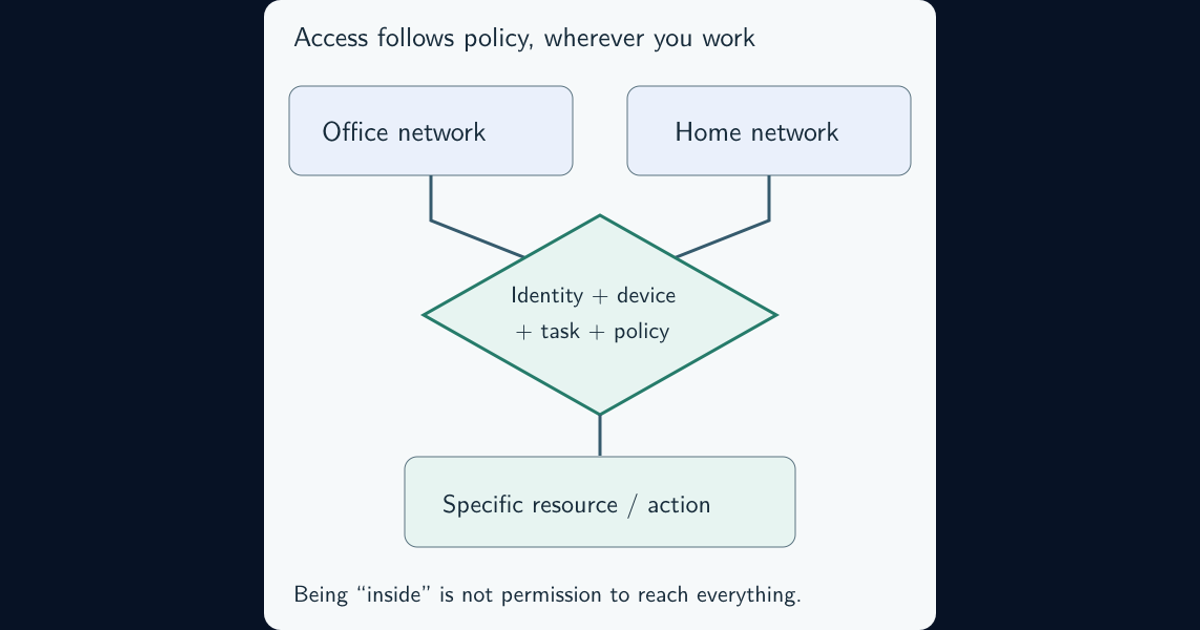
Defense in depth complements zero trust. NIST SP 800-207 rejects implicit trust based solely on location or ownership; the zero-trust resource explains the access architecture. That approach can operate alongside the layered protections described here.
For the design studio, a useful result is concrete: the compromised editor cannot reach unrelated projects, relevant activity reaches a responder, containment limits further access, and damaged files can be restored within the agreed target. Any missing result identifies the next improvement.
Frequently asked questions
What are the seven layers of defense in depth?
Seven-layer descriptions are teaching models, with labels that vary between publishers. They may cover people, physical access, networks, devices, applications, and data. No universal count establishes security; identify the controls, their roles, their dependencies, and what remains effective after a failure.
Is layered security different from defense in depth?
The terms are often used interchangeably, although some writers distinguish them. Assess the design rather than the label: safeguards should cover relevant paths, complement each other, and retain useful protection when another safeguard fails.
Does defense in depth require buying more security tools?
No. Restricting excessive permissions, separating administrative authority, protecting recovery copies, assigning responders, and testing existing safeguards can improve depth. Add a tool when it fills a demonstrated gap and the organization can operate it effectively.