How to Use AND Logic in a Microsoft Purview Keyword Dictionary
Build AND-like detection in a Microsoft Purview custom sensitive information type with primary and supporting elements, proximity, confidence levels, regex boundaries, and practical false-positive tests.
A Keyword Dictionary Does Not Evaluate Boolean Expressions
The direct answer to “how to use AND logic in a Purview keyword dictionary” is that the dictionary itself cannot do it. A keyword dictionary supplies a collection of terms. It does not parse an expression such as alpha AND beta, and adding the word AND to a dictionary does not change the matching semantics.
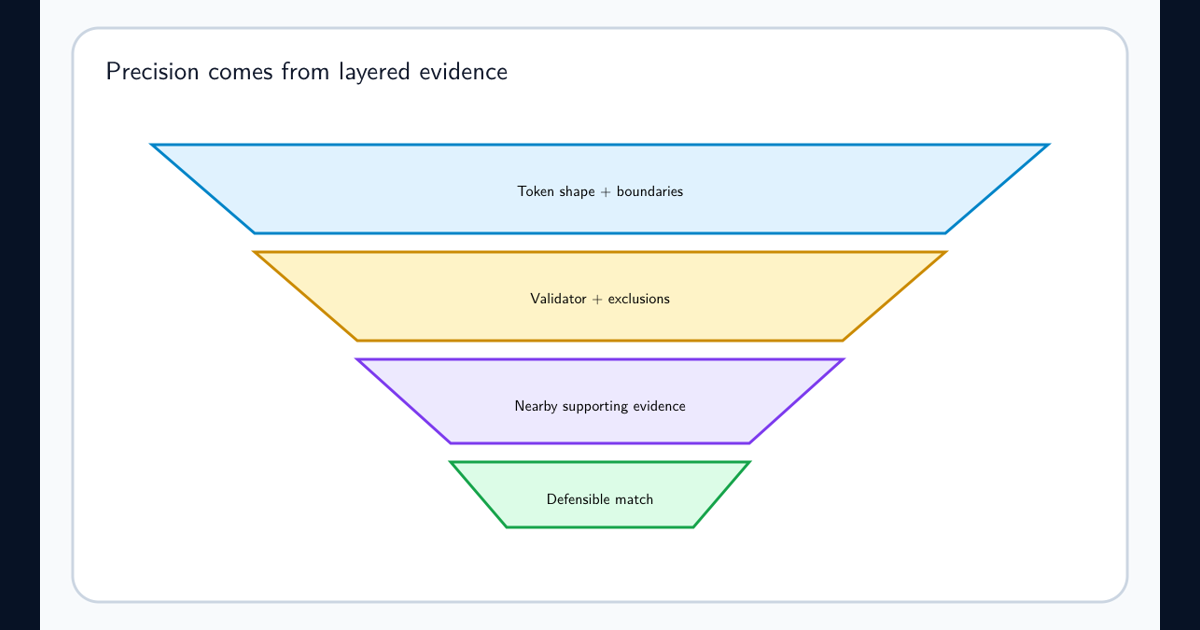
Put the logic one level higher, in a custom sensitive information type (SIT). Choose a primary element that identifies the candidate and add supporting elements that must occur within a defined character distance. The primary element can be a regex, keyword list, keyword dictionary, or supported function. Supporting evidence can also be a regex, list, dictionary, or function. The combination approximates the business statement “find A when B is nearby.”
This distinction matters because a dictionary answers “is any managed term present?” while a SIT pattern answers “is this term present with enough corroborating context to justify a classification?” Build the classifier around the second question.
Translate the Business Rule Into Primary Evidence, Support, and Distance
Start with a sentence that can be tested. For example: “Detect a project identifier only when a restricted-program phrase appears within 120 characters.” Make the project identifier the primary element and the restricted phrases a supporting keyword dictionary. Set the character proximity to the smallest distance that covers representative documents.
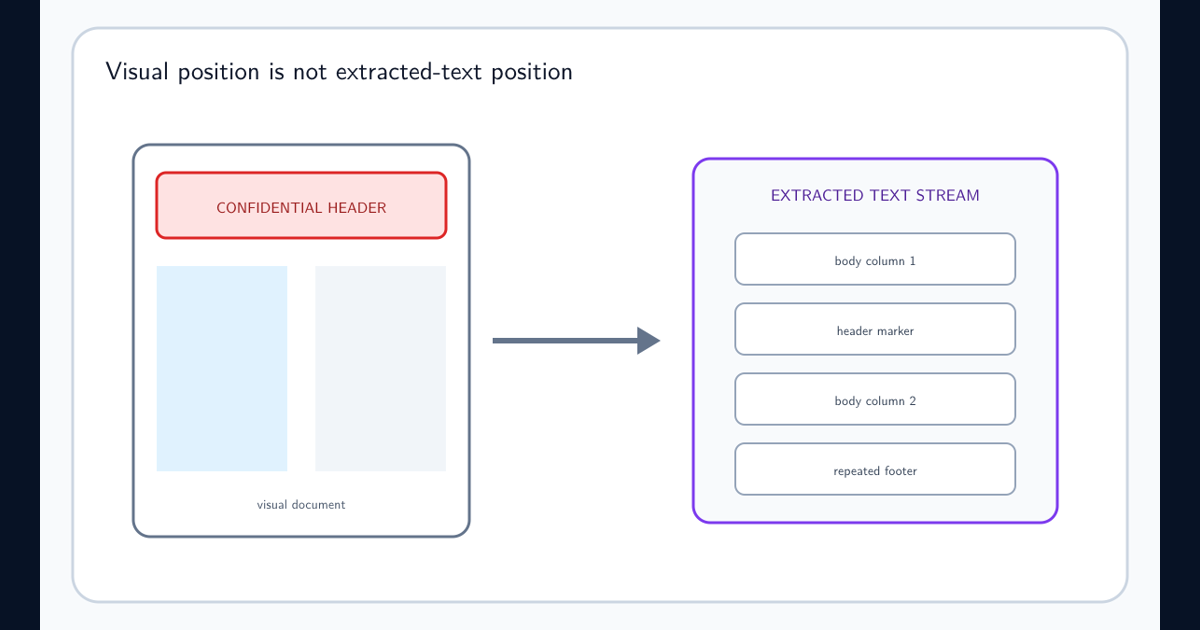
Proximity is not page geometry. It is a distance in the text Purview extracts from the item. A phrase that looks adjacent in a two-column PDF may be extracted far away; a header repeated on every page may be flattened into unexpected order. Test the extracted behavior rather than assuming visual layout equals classifier input.
Use separate patterns when the evidence strength differs. A strict identifier plus two supporting markers might justify high confidence. A broad identifier plus one common word should use a lower confidence level or be rejected. Multiple patterns are easier to reason about than one oversized expression whose branches silently encode different risk.
Use Regex for Shape, Not for the Entire Policy
Regex is useful when the primary element has a stable shape, such as a prefix followed by digits. Follow the current Microsoft regex requirements: use exactly one primary capturing group, place other groups in noncapturing syntax, and put alternate match forms inside that one capture. Purview uses Boost.RegEx and does not accept every construct that another test engine accepts.
Do not use ^ or $ to mean “document header” or “end of document.” Microsoft warns that the scanner does not guarantee what those positional anchors correspond to. If the business rule says a term must occur in a header, use distinctive header text as evidence and a bounded proximity to the target. The header-only SIT detection guide covers the extraction and layout boundary in detail. Describe this honestly as a content-context approximation, not layout-aware detection.
Keep exclusions explicit. If test IDs, templates, or public examples share the same format, use additional checks, excluded prefixes or suffixes, and stronger support rather than stretching a single regex into an unreadable policy engine. The regex false-positive reduction guide provides a complete tuning and regression-test workflow.
Treat the 1 MB Dictionary Allowance as a Shared Tenant Budget
The current Microsoft keyword dictionary limits document a combined 1 MB post-compression limit per tenant. Compression means a raw text file size is not a reliable capacity forecast. Inventory existing dictionaries before importing a large taxonomy and retain the source list, normalization rules, owner, purpose, and last review date.
Bigger is not automatically better. Remove duplicates, spelling noise with no evidence value, expired program names, and terms so common that they cannot support a meaningful decision. Split dictionaries by policy meaning only when that improves ownership or lets patterns assign different confidence; splitting does not create more tenant capacity. Use the keyword-list size limits guide when capacity, rather than Boolean logic, is the constraint.
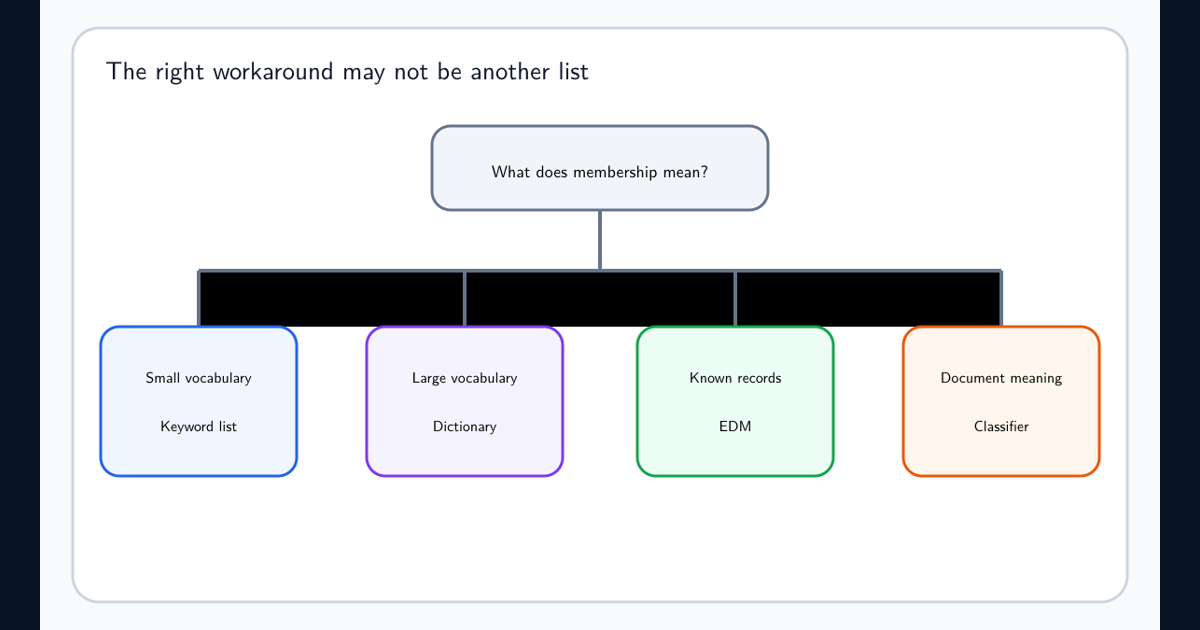
If the requirement is “match a person or account that exists in our authoritative records,” a dictionary may be the wrong model. Exact Data Match preserves row relationships and is designed for known reference datasets. A trainable classifier may be more appropriate when meaning is semantic rather than a finite collection of terms.
Build a False-Positive Test Matrix Before Connecting the SIT to DLP
Test at least four populations: true examples with all required evidence, valid-looking candidates with no support, support terms with no candidate, and known benign documents that resemble the target. Vary capitalization, punctuation, distance, order, file format, language, and extraction quality. Include documents where candidate and support appear on separate pages or columns.
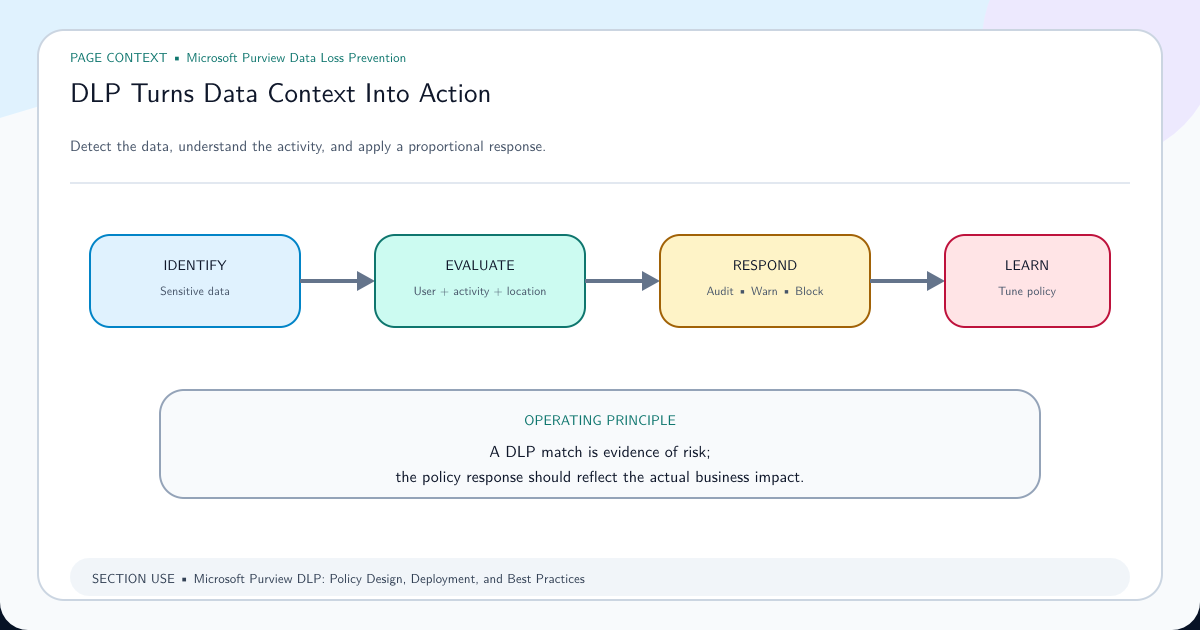
Record expected confidence and actual confidence for every sample. A detector that finds the obvious positive proves very little; the near misses explain its real boundary. Use on-demand classification or the supported SIT test experience for focused samples, then place the consuming Purview DLP policy in simulation. Review matches and misses with the data owner before blocking an action.
After deployment, keep a regression corpus containing sanitized examples of every important failure. Re-run it after regex, dictionary, proximity, policy, client, or parser changes. Classification is a maintained detection system, not a one-time portal form.
Choose a More Specific Detection Model When AND Logic Is Not Enough
Primary-plus-support logic proves co-occurrence inside a text window. It does not prove that two values belong to the same database row, that text appeared in a visual header, or that the item carries a particular business meaning. State that limit in the design record.
Use Exact Data Match when multiple fields must correspond to an authoritative record. Use a trainable classifier when examples convey meaning better than patterns. Use document metadata, sensitivity labels, or location scope when those are the actual policy signal. Combine controls only when the combined behavior is supported in the target workload.
Finally, connect the classifier to enforcement gradually. A simulation-first rollout lets you compare the SIT result with human review, tune confidence and occurrence counts, and understand user impact before Purview DLP warns or blocks. The goal is not to recreate arbitrary Boolean syntax; it is to produce a defensible, measurable classification decision.
Frequently asked questions
Can a Purview keyword dictionary contain an AND operator?
No. A dictionary is a set of terms, not a Boolean expression language. Model AND-like intent in a custom sensitive information type by making one element primary and requiring one or more supporting elements within a defined character proximity.
Can a custom sensitive information type detect a keyword only in a document header?
Not reliably as a universal page-layout rule. Purview evaluates extracted text and does not promise that positional regex anchors correspond to a document header. Use distinctive header markers and proximity as an approximation, then test every required file format and workload.
What is the Microsoft Purview keyword dictionary size limit?
Microsoft currently documents a combined tenant limit of 1 MB after compression for keyword dictionaries. Treat that as a shared tenant budget and verify the current limit before a large import.
Why does a custom SIT regex work in a regex tester but fail in Purview?
Purview uses the Boost.RegEx engine and imposes classifier-specific structure. Custom SIT regex must use exactly one primary capturing group, use noncapturing groups elsewhere, and must not rely on positional anchors such as ^ and $.