Microsoft Purview Keyword List Size Limits and Dictionary Workarounds
Work around Microsoft Purview keyword-list limits by choosing dictionaries deliberately, budgeting the shared 1 MB tenant allowance, reducing noisy terms, and selecting EDM or classifiers when lists stop fitting the detection problem.
Know Which Limit You Are Actually Hitting
Microsoft SIT limits currently allow 2,048 terms in a keyword list and 50 characters per term. Keyword dictionaries use a different ceiling: all dictionaries in the tenant share 1 MB after compression, approximately one million characters.
A raw source-file size does not equal the post-compression size. Inventory existing dictionaries and treat the allowance as tenant capacity. Splitting one oversized vocabulary into several dictionaries does not create additional space.
Also check rule-package and SIT limits. The apparent keyword problem may be a 150 KB rule package, 50 SITs per package, or poor classification performance rather than the term count alone.
Use Lists for Compact Pattern Context and Dictionaries for Managed Scale
An inline keyword list is convenient when a custom SIT pattern needs a small, stable set of corroborating terms. The terms live with the pattern and are easy to understand during review.
A keyword dictionary is better for a larger managed vocabulary, can support any language, and can be used as a SIT itself or within another custom SIT. It also supports file-based management through documented tooling.
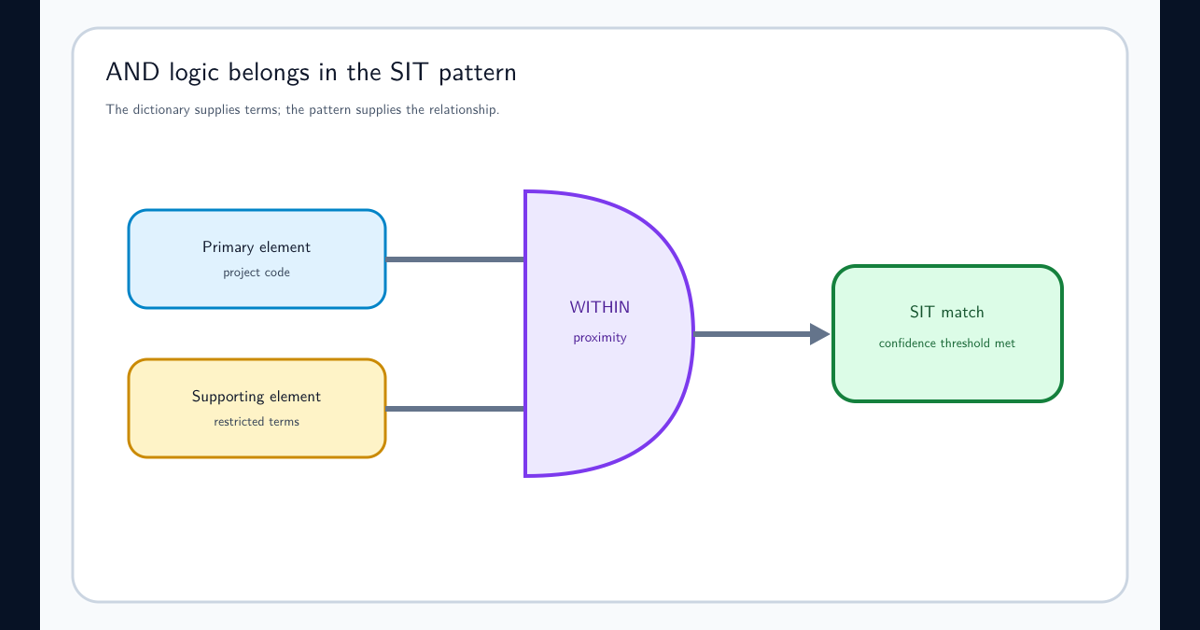
Neither evaluates Boolean expressions internally. Use primary and supporting elements for AND-like relationships, occurrence thresholds for repeated matches, and policy logic for combining classifiers.
Reduce the Vocabulary Before Expanding the Storage Model
Normalize case and whitespace according to supported matching behavior, remove exact duplicates, and review punctuation variants. Delete expired project names, test data, generic words, and synonyms that do not change a policy decision.
Group terms by meaning, owner, language, and review cycle. A dictionary with one million low-value characters is harder to validate than several smaller purposeful classifiers—even though several dictionaries still share the same byte budget.
Sample matches for every proposed term family. High-frequency generic terms can consume review capacity and make the detector less useful long before a technical limit is reached.
Partition by Policy Meaning, Not Arbitrary File Size
Create separate dictionaries when different owners, evidence strength, languages, or policy actions justify separation. For example, restricted project codenames and medical terminology should not share lifecycle merely because they fit in one file.
Do not partition alphabetically to evade management. Alphabetic shards force every consuming pattern to include many equivalent classifiers and make retirement or tuning difficult.
Version the source vocabulary, dictionary identity, normalization rules, import result, consuming SITs, and validation corpus. Treat a large dictionary like a governed dataset.
Move to EDM, Fingerprinting, or Trainable Classifiers When Meaning Changes
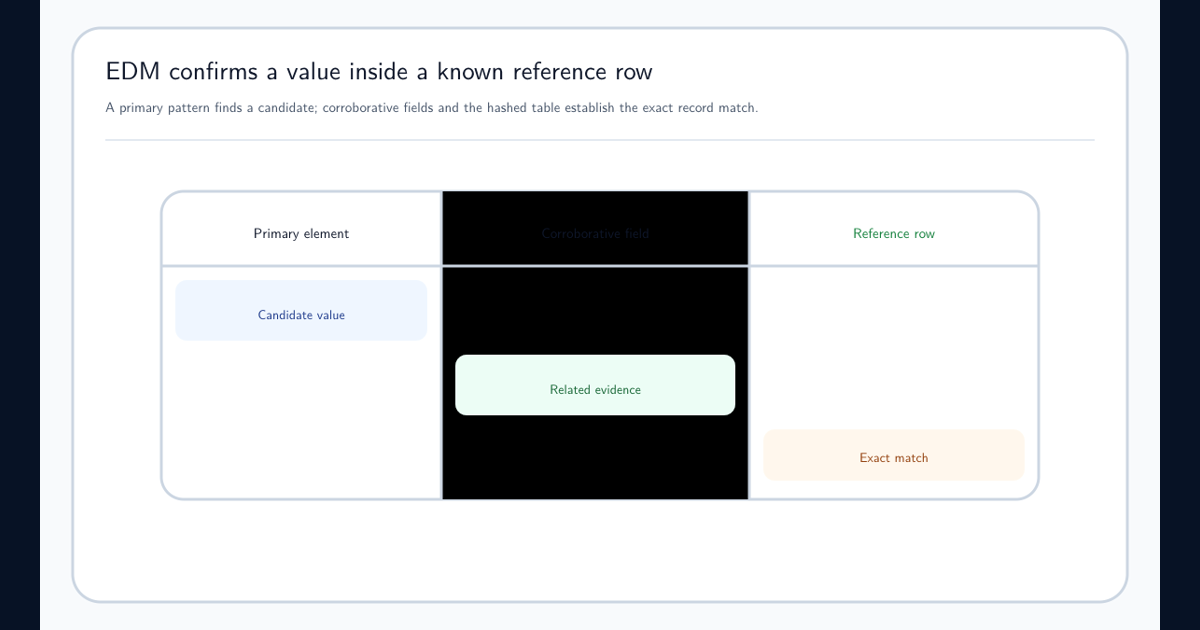
If the list contains identifiers from an authoritative database, Exact Data Match preserves record membership and corroborating fields more precisely than a flat dictionary. If it contains phrases that describe document purpose, a trainable classifier may model meaning better. If the target is a stable form, document fingerprinting may be appropriate.
A giant list is often a symptom that the requirement is not really vocabulary membership. Write the business question and choose the model that proves it.
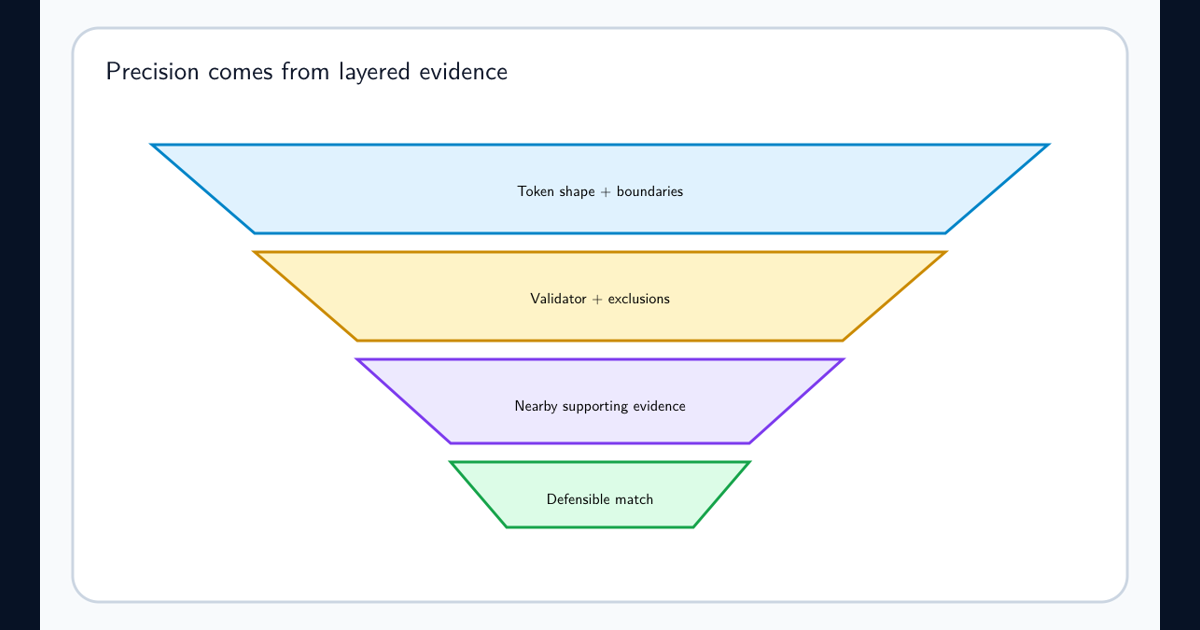
Keep regex false-positive reduction and dictionary AND logic separate from capacity. Those techniques improve match semantics; they do not expand the tenant allowance.
Monitor Capacity and Detection Quality Together
Track post-compression usage, term count, dictionary count, update failures, owner, age, match volume, false-positive rate, and known misses. Alert before the tenant budget is exhausted.
Capacity success means the import fits. Detection success means the resulting matches support a defensible policy decision. Require both before production use.
Frequently asked questions
How many terms can a Purview keyword list contain?
Microsoft currently documents a maximum of 2,048 terms, with each individual term limited to 50 characters.
How large can Purview keyword dictionaries be?
All keyword dictionaries in the tenant share a combined 1 MB post-compression limit, roughly one million characters. Splitting one list into several dictionaries does not increase that shared allowance.
What is the best workaround when the dictionary limit is too small?
First remove low-value and duplicate terms. If the requirement represents known records, use Exact Data Match; if it represents document meaning, use a trainable classifier or document fingerprinting instead of forcing the taxonomy into keywords.