Windows LAPS Deployment and Security Guide
Windows LAPS deployment security covers account choice, directory preparation, encryption, retrieval rights, rotation, auditing, rollout, and recovery.
Gate 0: prove the account and directory design on paper
Windows LAPS deployment security starts before policy assignment. Choose the managed local account, backup directory—Microsoft Entra ID or Windows Server Active Directory—password age and length, encryption principal, history, post-authentication actions, retrieval roles, emergency use, and device scope.
Microsoft’s Windows LAPS overview describes the native implementation and deprecation of legacy Microsoft LAPS on newer Windows versions. Do not deploy both paths casually; document migration and rollback ownership.
Gate 1: prepare storage, encryption, and retrieval rights
For Active Directory, extend and verify schema and permissions through supported procedures; enable password encryption and select a narrow decryption principal. Microsoft’s LAPS architecture notes that encrypted history requires encryption and the encryption principal cannot be changed for an already encrypted password.
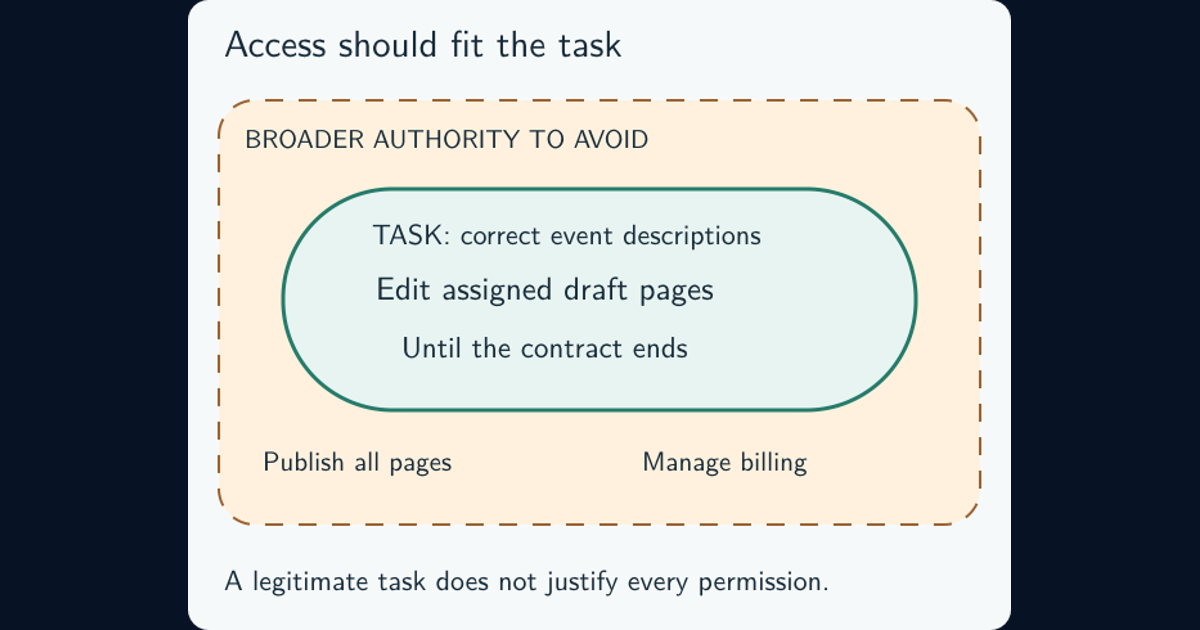
Apply the principle of least privilege: separate policy administration, password retrieval, directory administration, and endpoint support. Audit who can read current and historical secrets before enrolling devices.
Gate 2: pilot failure cases, not only a successful rotation
Enroll representative workstations, servers, remote devices, disconnected devices, and language or image variants. Verify account discovery, unique secret generation, directory backup, expiry, retrieval, authentication, manual rotation, post-authentication reset, event logs, and behavior when the directory is unavailable.
Test deleted or disabled device objects, clock drift, policy conflict, missing permissions, renamed accounts, offline duration, and emergency retrieval. A green policy status does not prove the backed-up password authenticates locally.
Gate 3: expand by rings with stop conditions
Roll out by device role and support readiness, not arbitrary percentages. Each ring needs minimum backup success, fresh-password coverage, retrieval test success, acceptable authentication failures, event-log ingestion, help-desk instructions, and a named rollback decision.
Never export passwords for convenience during migration. Report devices with absent or stale backup, policy mismatch, overly broad retrieval access, unsupported OS, and local administrator drift as separate failure populations.
Gate 4: make password retrieval an observable incident event
Log requester, approver, target device, current or history retrieval, reason, ticket, time, source, and subsequent local logon. Correlate with Windows authentication evidence. Alert on bulk retrieval, privileged devices, unusual operators, out-of-hours use, history access, and retrieval without a case.
After suspected disclosure, rotate immediately, investigate the retrieval identity and target, review local logons and lateral movement, and correct access rights. A rotated password does not undo commands executed with the old one.
Handoff: leave operations with a proof checklist
Next step: select ten non-critical devices across meaningful variants. Complete all four gates, retrieve one credential through the approved path, authenticate, trigger post-use rotation, and confirm the old credential fails. Record evidence and rollback decisions as part of system hardening.
Frequently asked questions
What problem does Windows LAPS solve?
It generates and rotates unique local administrator credentials per managed device, reducing credential reuse and lateral movement.
Should Active Directory-backed LAPS passwords be encrypted?
Microsoft strongly recommends encryption. It enables encrypted history and constrains decryption to a chosen principal, but permissions and recovery operations still require governance.