
Introduction
When most people think of Microsoft Purview, they picture rules engines – policies that match keywords, labels that apply encryption, logs that record who accessed what. That is the surface layer. Underneath, Purview runs a growing set of machine learning models that do what rules alone cannot: recognise document types, detect behavioural anomalies, and flag policy violations hidden in everyday language.
I saw this shift firsthand while deploying Purview for a financial services client last year. Their existing rules flagged obvious stuff – credit card numbers in emails, bulk downloads from SharePoint. But a junior analyst was sending coded messages about upcoming deals through Teams, and no keyword dictionary caught it. It was the AI-driven communication compliance classifier that finally flagged the pattern, after three weeks of training on their internal message corpus.
This guide walks through every AI and machine learning capability in Microsoft Purview, how each one works under the hood, where they add genuine value, and where they still need human judgment. I cover trainable classifiers, adaptive protection in insider risk management, the NLP models in communication compliance, and where Microsoft is taking this technology next.
Where AI Actually Lives in Microsoft Purview Today
If you look for an “AI” menu in Purview, you will not find one. The machine learning capabilities are embedded inside existing features. Understanding where they live helps you know what to deploy and when. Here is the complete map as of mid-2026.
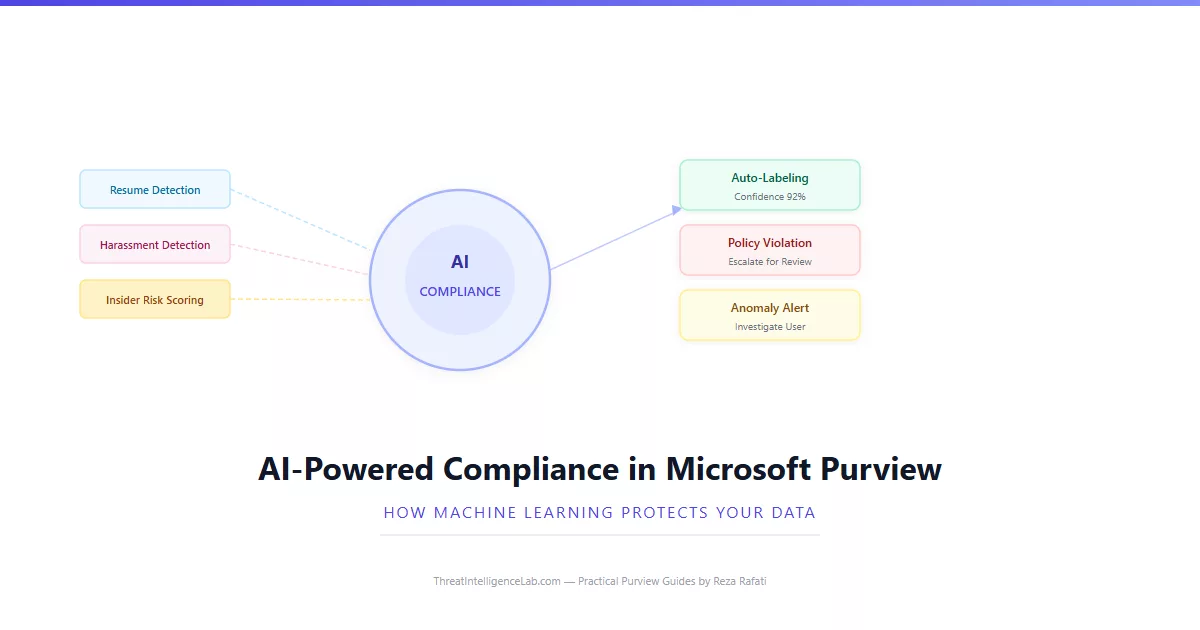
Trainable classifiers under Data classification are the most visible AI feature. You feed them sample documents, they learn to recognise resumes, contracts, source code, or any document type you define. Once trained, they power auto-labeling policies. I covered the full methodology in the trainable classifiers guide. These are supervised models – they learn from examples you provide, and they only get better when you correct their mistakes.
Adaptive protection inside Insider Risk Management uses unsupervised anomaly detection. Instead of learning from labelled examples, it builds a baseline of each user’s normal behaviour over 30 days and flags deviations. A marketing manager who downloads 500 files every month will not trigger an alert for that activity. A finance analyst who normally downloads 10 files but suddenly downloads 300 will. This is fundamentally different from static threshold-based alerting.
Communication Compliance classifiers are NLP models trained on millions of messages to detect inappropriate text, threats, harassment, and regulatory violations. Unlike trainable document classifiers, these are pre-trained by Microsoft and work out of the box. You can tune their sensitivity but not retrain the underlying model. They understand context – the phrase “let’s crush the competition” in a sales email reads as motivational. The same phrase in a Teams chat with an external trading partner reads as potentially problematic.
Sensitive information type detection uses both pattern matching and machine learning. A credit card number follows a predictable format that regex can catch. But something like a patient diagnosis in an unstructured clinical note requires the ML-based named entity recognition that powers the built-in HIPAA and GDPR classifiers. These models are pre-trained by Microsoft and updated quarterly as new data patterns emerge.
Supervised vs Unsupervised: How Each Model Actually Works
If you are going to deploy AI-driven compliance, you need to understand the difference between the two types of models Purview uses. The distinction determines how you train them, how you tune them, and what happens when they get things wrong.
Supervised models require labelled training data. You show the model examples of what you want it to find, and examples of what you want it to ignore. Trainable classifiers are supervised – you seed them with sample resumes and non-resumes, and they learn the boundary between the two.
The advantage is precision. A well-trained supervised classifier can exceed 90% accuracy. The disadvantage is the training effort. You need hundreds of labelled examples, spread across multiple authors and formats, and you need to keep labelling new examples as document types evolve.
Unsupervised models work without labelled data. They learn what “normal” looks like by observing behaviour over time, then flag deviations. Adaptive protection in Insider Risk Management is unsupervised. It watches every user’s download patterns, file access times, and external sharing habits for 30 days.
After building a baseline, it flags anomalies – the user who normally downloads from finance SharePoint sites suddenly accessing engineering repositories. The advantage is zero training effort. The model self-calibrates. The disadvantage is a mandatory 30-day cold start and a tendency to generate false positives when users change roles – legitimate behaviour shifts that look like anomalies.
The Communication Compliance classifiers sit between these categories. They are pre-trained by Microsoft on massive message corpora – technically supervised, but you do not do the training. You only adjust the confidence threshold. This makes them the easiest to deploy but the hardest to customise. If your organisation uses jargon the classifier does not understand, supplement with custom keyword dictionaries rather than attempting retraining.
When AI Caught What Rules Missed: A Real Deployment Story
Last year I helped a mid-sized investment firm deploy Purview. They had the standard setup – sensitivity labels on financial documents, DLP policies blocking credit card and passport numbers, and a departing-employee policy in Insider Risk Management. By every dashboard metric, they looked well-protected.
Three months in, their compliance officer asked me to review a handful of Teams messages that a manager had flagged manually. The messages were between a junior analyst and an external contact at a brokerage. Nothing tripped any keyword alert. No sensitive info types matched. The insider risk model showed no anomalous downloads. But reading the messages sequentially, a pattern emerged – the analyst was sharing deal timing through coded language. “The weather looks good for Tuesday” meant a positive announcement was coming. “Better bring an umbrella” meant bad news.
We enabled the Communication Compliance regulatory template, added a custom keyword dictionary with their internal code words, and let the classifier run for two weeks. It flagged 23 messages across four different employees using similar coded language patterns. Three of those employees had zero prior alerts from any other Purview policy. The AI saw what static rules could not – not because the rules were badly written, but because the violation was designed to evade rule-based detection.
The lesson I took from this deployment: rules catch what you already know to look for. Machine learning catches what you have not thought of yet. That is not marketing language – it is the operational reality of modern compliance. Every organisation has blind spots. The question is whether your tools can illuminate them before an auditor or a regulator does.
Where the AI Still Gets It Wrong – and Why Human Review Is Not Optional
Every AI feature in Purview ships with a confidence score. That score is not decoration. It is Microsoft acknowledging that the model will be wrong some percentage of the time, and you need to know how wrong before you act on its output.
Trainable classifiers produce precision and recall metrics after every training round. If your classifier has 85% precision, that means 15 out of every 100 documents it labels are labelled incorrectly. At scale – say, 10,000 documents across your SharePoint estate – that is 1,500 misclassified files. Some will be false positives, applying a Confidential label to a cafeteria menu. Some will be false negatives, leaving a genuine contract unlabelled. Neither is acceptable without human oversight.
Adaptive protection in Insider Risk Management has a known cold-start problem. During the first 30 days, while the model builds its baseline, it generates zero alerts. If a genuine insider threat begins during that window, the model will not flag it because the suspicious behaviour becomes part of the baseline. I recommend running static threshold-based policies alongside adaptive protection for the first 60 days after deployment, then gradually phasing out the static rules once the adaptive model has enough data.
Communication Compliance classifiers perform poorly on short messages. A Teams chat that says “fine, send it” contains no context for the model to evaluate. It will not flag that message even if “it” refers to a confidential client list. The model needs surrounding conversation context to make accurate assessments. This is why Activity Explorer and the unified audit log remain essential – when the AI misses something, you need the raw data to find it yourself.
None of these models understand your business. They do not know that your legal team shares confidential documents externally as part of their job. They do not know that your CFO downloads large financial models every quarter-end. They apply statistical patterns to data. Your job is to overlay business context on top of their output. The models reduce the haystack. They do not eliminate it.
The Deployment Sequence: Which AI Feature to Enable First
I have deployed Purview’s AI capabilities across enough organisations now to know that the order matters. Enable the wrong feature first and you drown in alerts with no context. Enable the right ones in the right sequence and each layer builds on the last.
Phase one: sensitive information types. These are not truly AI, but they include ML-based named entity recognition for unstructured data. Enable the built-in classifiers for your regulatory framework – GDPR, HIPAA, PCI-DSS, or whichever applies. Let them scan your estate for a week. Use Content Explorer to understand where sensitive data already lives. This baseline is essential before you automate anything.
Phase two: trainable classifiers. Build one classifier for your most critical unstructured document type – contracts, intellectual property, patient records. Train it properly with at least 200 samples from 20 different authors. Deploy it in simulation mode first through an auto-labeling policy. Review the results for two weeks. Only switch to enforcement when precision exceeds 85%. A poorly trained classifier enforcing labels at scale creates a mess that takes months to clean up.
Phase three: adaptive protection. Once you have static insider risk policies running and stable, enable adaptive protection on the same policies. Let it run alongside static thresholds for 60 days. Compare the alerts each generates. Adaptive protection will catch things the thresholds miss. It will also generate false positives the thresholds would not. Use the overlap period to calibrate which model you trust for which scenarios.
Phase four: Communication Compliance classifiers. Enable these last. They generate the most alerts and require the most human review. Start with the Detect inappropriate text template, scoped to a pilot group of 50. Review every alert for two weeks. Understand what normal communication looks like. Then expand scope and add the regulatory or conflict-of-interest templates. This is the sequence that caught the coded trading messages – only after the other layers were in place did we have the context to interpret what the Communication Compliance classifier was flagging.
Where Microsoft Is Taking AI in Purview Next
Microsoft’s public roadmap and my conversations with their compliance engineering team point to several AI capabilities arriving in the next 12 to 18 months. None of these are confirmed for specific release dates, but the direction is clear enough to plan around.
Generative AI for policy creation. Instead of manually configuring DLP rules and keyword dictionaries, you will describe the policy in natural language – “block any email that contains merger discussions with external recipients” – and the system will generate the detection rules, suggest sensitive info types, and recommend thresholds. Early previews of this capability in the Microsoft 365 Copilot integration suggest it will handle about 80% of the configuration work, with a human reviewing and approving the final policy.
Cross-workload correlation. Today’s models operate in silos. The insider risk model sees download patterns but not message content. The communication compliance model sees messages but not file activity. The next generation of Purview AI will correlate signals across workloads – a user sending a suspicious Teams message, then downloading files from an unusual SharePoint site, then forwarding email externally – and score the combined behaviour as a single risk event rather than three separate alerts.
Continuous learning without retraining. Current trainable classifiers require manual retraining when document patterns change. The next iteration will support incremental learning – the model updates itself as reviewers resolve alerts, learning from every correction without requiring a formal retraining cycle. This shifts classifiers from periodic projects to continuously improving systems.
None of this replaces the need for human judgment. What it does is move the analyst’s time from finding potential issues to evaluating them. The models surface what deserves attention. You decide what matters. That division of labour – machines finding, humans judging – is the right one for compliance work. The stakes are too high for full automation. An AI that incorrectly labels a document is an inconvenience. An AI that incorrectly clears a potential insider trading signal is a regulatory event. For now, and for the foreseeable future, the loop requires a human at the end of it.
If you are building your Purview deployment now, the single most important decision you can make is to design for human review from day one. Every AI feature should feed into a queue that a named person is responsible for checking. The tools covered in this guide – monitoring dashboards, Activity Explorer, audit log search – are the infrastructure that makes human review possible at scale. Deploy them before you deploy the AI that generates the work.
Leave a Reply
You must be logged in to post a comment.