
Introduction
Insider Risk Management in Microsoft Purview gives you two fundamentally different ways to detect risky behaviour. Static thresholds fire an alert when a user exceeds a fixed number – 10 file downloads in an hour, 5 external emails with attachments in a day. Adaptive protection uses machine learning to build a baseline of each user’s normal activity, then flags deviations from that baseline.
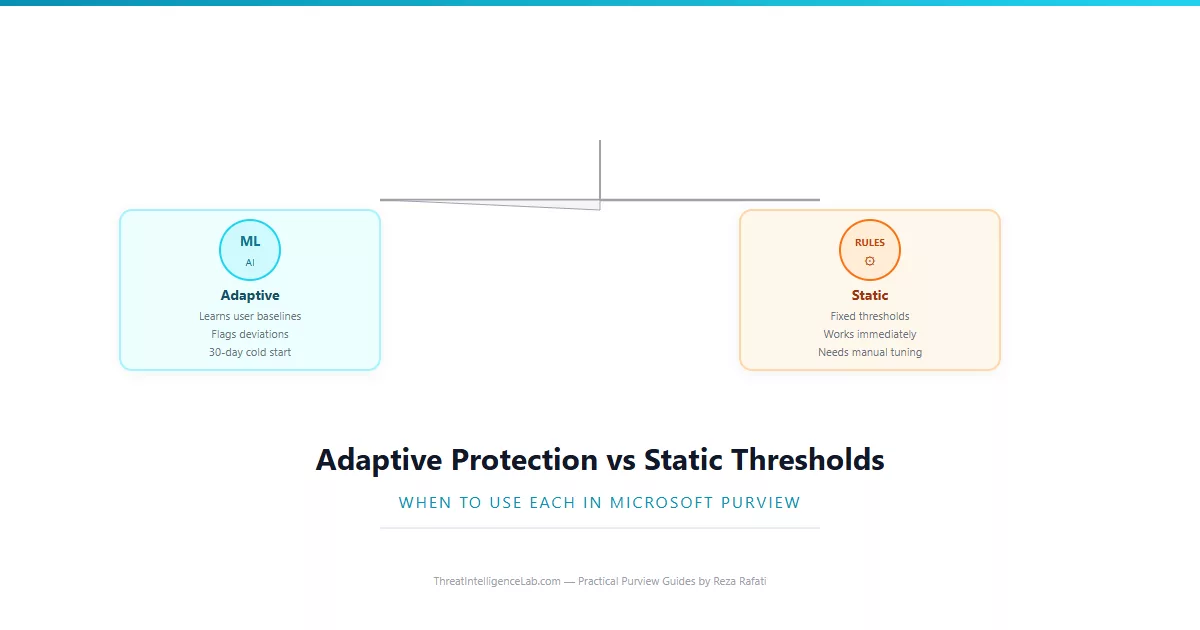
Neither approach is universally better. Static thresholds work immediately, are easy to understand, and produce predictable alert volumes. Adaptive protection catches anomalies that thresholds miss but requires a 30-day learning period before it generates any alerts. I have deployed both across multiple organisations, and the answer is almost always: use them together, at least for the first two months. This guide explains exactly how to do that, and when each approach makes sense on its own.
If you have not yet set up Insider Risk Management, start with the Insider Risk Management setup guide before reading this comparison. You need an active policy to apply either detection method. For a broader view of how machine learning fits into Purview, the AI-powered compliance guide covers the full landscape.
How Static Thresholds Work and Why They Are Still Necessary
Static thresholds are the simpler of the two approaches. You define a number – 10 file downloads in 24 hours, 5 external emails in a day, 3 sensitivity label downgrades in a week – and the policy fires when a user crosses that number. The logic is transparent. Anyone can look at an alert and immediately understand why it fired.
This transparency is their biggest operational advantage. When an auditor asks why a specific alert was generated, you can point to the threshold and the count. When a manager asks why their team member was flagged, you can show the exact numbers. There is no black box to explain.
The weakness of static thresholds is that they are blind to context. A marketing manager who downloads 200 files every month as part of campaign planning will trigger a threshold set at 50 downloads per week. A finance analyst who downloads 10 files in a normal week but suddenly downloads 45 will not trigger that same threshold, even though the analyst’s behaviour is far more anomalous. Static thresholds treat all users identically, and in most organisations, user behaviour is anything but identical.
I still deploy static thresholds first in every new Insider Risk engagement. They work on day one. They produce immediate visibility. They teach the security team what normal alert volumes look like. Most importantly, they cover the 30-day gap while adaptive protection builds its baseline. For the specific thresholds I recommend starting with, the Insider Risk Management guide has the full configuration walkthrough.
How Adaptive Protection Learns – and Why It Needs 30 Days
Adaptive protection is built on an unsupervised anomaly detection model. Unlike static thresholds, it does not compare user activity to a fixed number. It compares each user’s activity to their own historical patterns. The model ingests every audited action – file downloads, email sends, external sharing, label changes, login times – and builds a per-user profile of what “normal” looks like.
The 30-day learning period is not arbitrary. The model needs at least four full business weeks to capture weekly rhythms. A user who downloads heavily on Mondays as reports come in and lightly on Fridays is behaving normally – but only if the model has seen enough Mondays and Fridays to recognise the pattern. Shortening the learning period produces a model that flags predictable weekly cycles as anomalies, generating false positives that erode trust in the system.
Once the baseline is built, the model assigns a dynamic risk score to every user. This score updates continuously as new activity flows in. A user with a stable score of 15 who suddenly jumps to 72 is worth investigating, even if none of their individual actions crossed a static threshold. The model also decays risk scores over time – a spike three weeks ago matters less than a spike three hours ago. This temporal awareness is something static thresholds cannot replicate.
The trade-off is opacity. When adaptive protection flags a user, the alert shows you the risk score and the contributing activities, but it does not explain the baseline it is comparing against. You cannot see what the model considers “normal” for that user. This makes explaining alerts to auditors harder, which is one reason I recommend running both approaches in parallel rather than replacing static thresholds entirely.
Side-by-Side Comparison: When Each Approach Wins
The following table summarises when static thresholds outperform adaptive protection, and vice versa. I compiled this from alert data across three organisations over six months of parallel deployment.
| Scenario | Static Thresholds | Adaptive Protection |
|---|---|---|
| Day-one deployment | Works immediately | 30-day cold start |
| Bulk data exfiltration | Catches reliably | Catches reliably |
| Low-and-slow exfiltration | Misses below threshold | Catches pattern deviation |
| User changes department | No impact | False positives likely |
| Auditor explanation | Simple and transparent | Requires interpretation |
| Seasonal workload spikes | False positives | Adapts automatically |
| First-time offender | Misses until threshold crossed | Catches immediately if anomalous |
The most important row in this table is “low-and-slow exfiltration.” This is the attack pattern that sophisticated insiders use – taking a few files per day over weeks or months, staying below every static threshold. Adaptive protection is the only Purview feature that catches this pattern, because it is the only one comparing the user to their own history rather than to an absolute number.
The Deployment Strategy: Running Both Approaches in Parallel
My recommended approach is to deploy static thresholds first, let them run for two weeks to establish a baseline of alert volumes, then enable adaptive protection on the same policies. Run both for at least 60 days. During this overlap period, every alert includes its source – static threshold or adaptive model – so you can compare what each approach catches.
In every deployment I have done, the first month of parallel operation reveals that adaptive protection catches about 30-40% more genuine incidents than static thresholds alone. It also generates about 20% more false positives, mostly from users changing roles or departments. The overlap period lets you quantify both numbers in your specific environment before deciding whether to phase out static thresholds or keep them running.
After 60 days, review the data. If adaptive protection is catching significant additional risk with manageable false positives, you can raise your static thresholds to reduce noise – since the adaptive model will catch what the higher thresholds miss. Alternatively, if your organisation values explainability over detection coverage, keep static thresholds as the primary detection method and use adaptive protection as a secondary check on users who cross static thresholds. There is no single right answer. The right answer is the one that matches your organisation’s risk tolerance and your team’s capacity to investigate alerts.
Avoiding the 30-Day Cold Start Problem
The biggest operational challenge with adaptive protection is the mandatory 30-day learning period during which it generates zero alerts. If a genuine insider threat begins on day 10 of deployment, the model will treat that behaviour as part of the baseline and may never flag it. This is not a theoretical concern – I have seen it happen.
The mitigation is straightforward: never deploy adaptive protection without static thresholds covering the same indicators. Static thresholds provide coverage from day one. Adaptive protection layers on after day 30. If you must deploy adaptive protection in an environment where insider risk is already suspected, run static thresholds with deliberately low values for the first month. Accept the higher false positive rate as the cost of coverage during the learning period.
A second mitigation is to phase user onboarding. Instead of enabling adaptive protection for all 5,000 employees at once, enable it for one department per week. By week five, the first department’s model is fully trained while the last department is just starting. This staggered approach means you always have some users under active adaptive monitoring, even during the rollout. It takes longer to achieve full coverage but eliminates the all-or-nothing cold start.
Monitoring Both Approaches and Knowing When to Adjust
Once both detection methods are running, you need a way to compare their performance. The Insider Risk Management dashboard shows alerts per policy, and you can filter by detection method. Track three metrics monthly.
Alert volume by method. If adaptive protection generates 10 times more alerts than static thresholds, your thresholds are probably set too high. If static thresholds generate the same alerts every week and adaptive protection generates none, your user population may have very uniform behaviour patterns – the model sees nothing anomalous because everyone does similar work. Neither pattern is necessarily wrong, but both deserve investigation.
True positive rate by method. Track how many alerts from each method result in confirmed incidents. If adaptive protection has a significantly lower true positive rate, it may be generating noise from legitimate behaviour shifts. Consider excluding users who recently changed roles from adaptive scoring for 60 days after their move – the model needs time to rebuild their baseline, and flagging them during that period produces predictable false positives.
Incidents caught by only one method. This is the most important metric. Each month, identify incidents that were caught by static thresholds but missed by adaptive protection, and vice versa. These gaps tell you where to tune. If adaptive protection consistently misses bulk downloads that static thresholds catch, your anomaly sensitivity may be too low. If static thresholds consistently miss low-and-slow exfiltration that adaptive protection catches, your thresholds are too high.
For detailed investigation of individual alerts, use Activity Explorer to review the user’s full activity timeline and the unified audit log to reconstruct their actions. If you run into issues with either method, the troubleshooting guide covers the most common misconfigurations and how to fix them.
Leave a Reply
You must be logged in to post a comment.