Microsoft Purview Failed Scan Email Notifications: Monitoring Workarounds
Build reliable Microsoft Purview scan-failure monitoring when email notifications are missing or insufficient by using scanner reports, diagnostics, Windows events, audit logs, freshness checks, and external alerting.
Treat Missing Email as a Monitoring Gap, Not a Scan Result
If an expected failed-scan email never arrives, three states remain possible: the scan succeeded, the scan failed but notification did not fire, or the notification was generated but not delivered. The inbox cannot distinguish them.
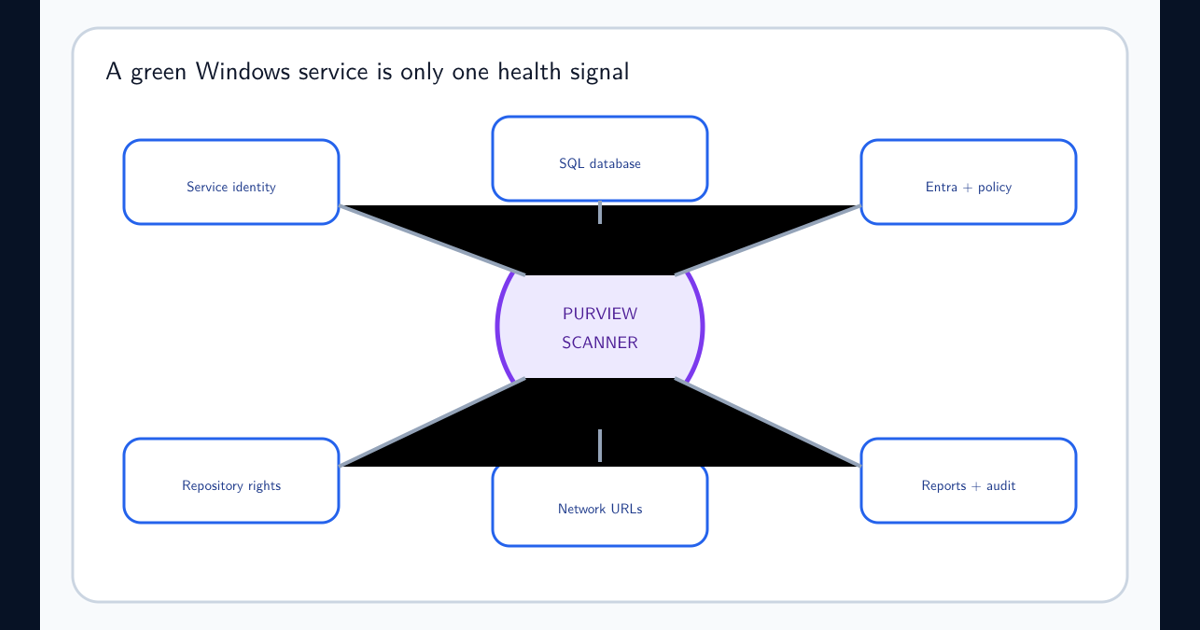
Define health from authoritative evidence: the scanner service is running, the expected scan cycle started and completed, repositories were attempted, error count stayed within threshold, the last-success timestamp is fresh, asset or file coverage did not collapse, and expected audit or activity evidence arrived.
Email can be a delivery channel for a derived alert. It should not be the underlying detector.
Collect Scanner Reports, Events, Diagnostics, and Audit Evidence
Microsoft scanner report guidance places reports under %localappdata%\Microsoft\MSIP\Scanner\Reports for the scanner identity. Resolve %localappdata% in the service-account context, not the interactive administrator’s profile.
Collect Windows service state, scanner diagnostics, local report summaries, errors, content scan job state, repository results, and relevant Microsoft Purview audit or Activity Explorer events. Microsoft’s audit guidance includes Azure Information Protection discovery activity, subject to roles and scope.
Retain timestamps in UTC and correlate cluster, node, job, repository, policy version, and scan cycle. A local error without the corresponding job context is difficult to route.
Alert on Freshness, Failure Ratio, and Coverage Collapse
A binary failed state misses silent stagnation. Alert when the last successful scan exceeds the repository’s service-level objective, when error count or failure ratio crosses a threshold, when discovered file count drops unexpectedly, or when scan duration changes materially.
Use repository-specific baselines. A stable archive and a fast-changing engineering share should not share the same freshness target. Distinguish zero files because the repository is empty from zero files because authentication failed.
Include a minimum-duration guard so a scan that exits immediately is not celebrated as unusually fast. Track skipped, unsupported, protected, inaccessible, modified, and successfully processed files separately.
Send Alerts Through an Operated Monitoring Pipeline
Forward structured health data to the organization’s approved monitoring platform. Parse stable fields where possible, preserve the raw report, and deduplicate repeated errors by cluster, repository, error family, and scan cycle.
Route identity and token failures to the service owner, SQL failures to the database path, repository access failures to the data owner, and classification-rule failures to the Purview policy owner. Set severity from impact and duration rather than the presence of the word error.
Add an alert-deadman condition: if no scan-cycle telemetry arrives within the expected window, alert on missing evidence. This catches both scanner failure and monitoring-pipeline failure.
Keep Diagnostic Logging Bounded
Microsoft scanner configuration guidance documents Debug, Info, Error, and Off report levels and warns that Debug considerably slows the scanner. Enable verbose logging only for a defined troubleshooting window.
Monitor report volume, disk capacity, retention, and access. Scanner reports can contain file paths, identities, IP addresses, and classification context; protect them as operational security data.
Restore the normal report level after evidence collection and verify performance returns to baseline.
Test the Alert Path With Controlled Failures
In an approved test repository or node, exercise a known inaccessible path, expired test credential, stopped test service, and classifier error where safe. Confirm detection, correlation, deduplication, routing, acknowledgement, remediation, and recovery notification.
Never induce failure in a production legal or compliance scan merely to test email. Use staging and replay sanitized report events into the monitoring pipeline.
Review alert coverage after scanner upgrades, account changes, repository migrations, and policy changes. A monitoring workaround becomes a control only when it is tested and owned.
Frequently asked questions
Can email alone prove a Purview scan is healthy?
No. Absence of an email can mean health, a notification failure, or an unsupported alert path. Monitor scan completion, report errors, last-success time, service state, diagnostics, and audit evidence directly.
Where are Purview Information Protection scanner reports stored?
Microsoft documents scanner reports under the scanner service account local profile in %localappdata%\Microsoft\MSIP\Scanner\Reports. Confirm the resolved path for the actual service identity.
Should scanner ReportLevel remain Debug in production?
No. Microsoft warns that Debug considerably slows the scanner and recommends it only for troubleshooting. Use an appropriate normal level and bounded diagnostic windows.