Microsoft Purview Data Map DLP Limitations: What It Does Not Enforce
Understand the boundary between Microsoft Purview Data Map classification and Purview DLP enforcement, including metadata-only governance, sampling, label portability, scanners, and supported control locations.
Data Map Does Not Provide Microsoft 365 DLP Enforcement
The answer to “does Microsoft Purview Data Map provide DLP?” is no. The Microsoft Data Governance FAQ explicitly says Data Map does not provide the data loss prevention capabilities supported for Microsoft 365 apps and services.
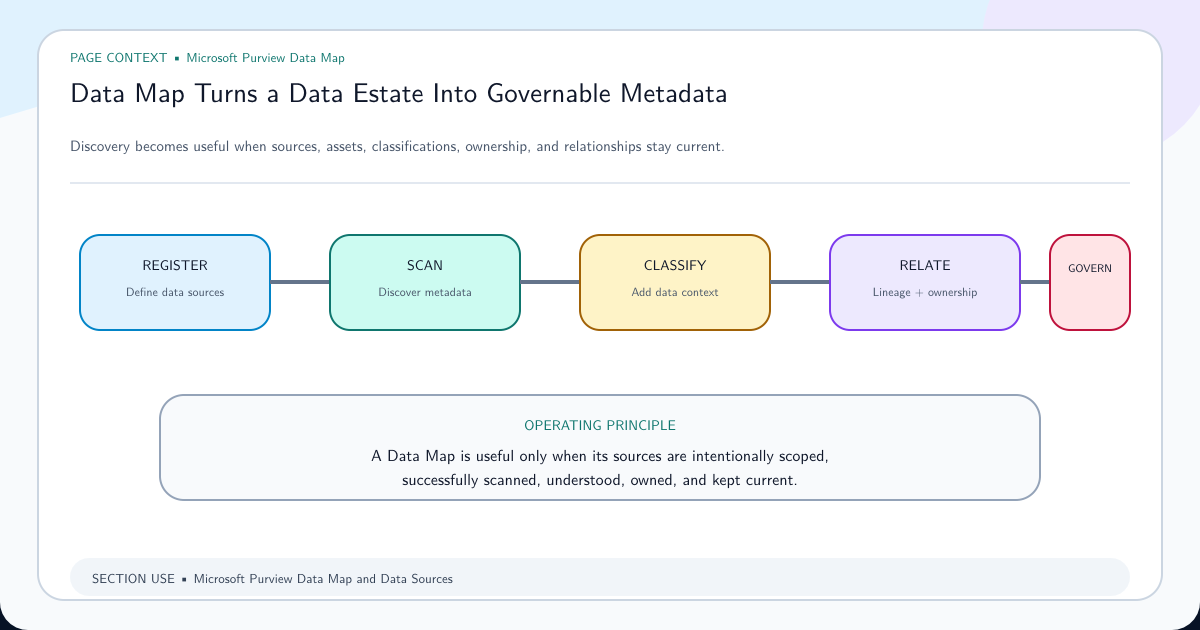
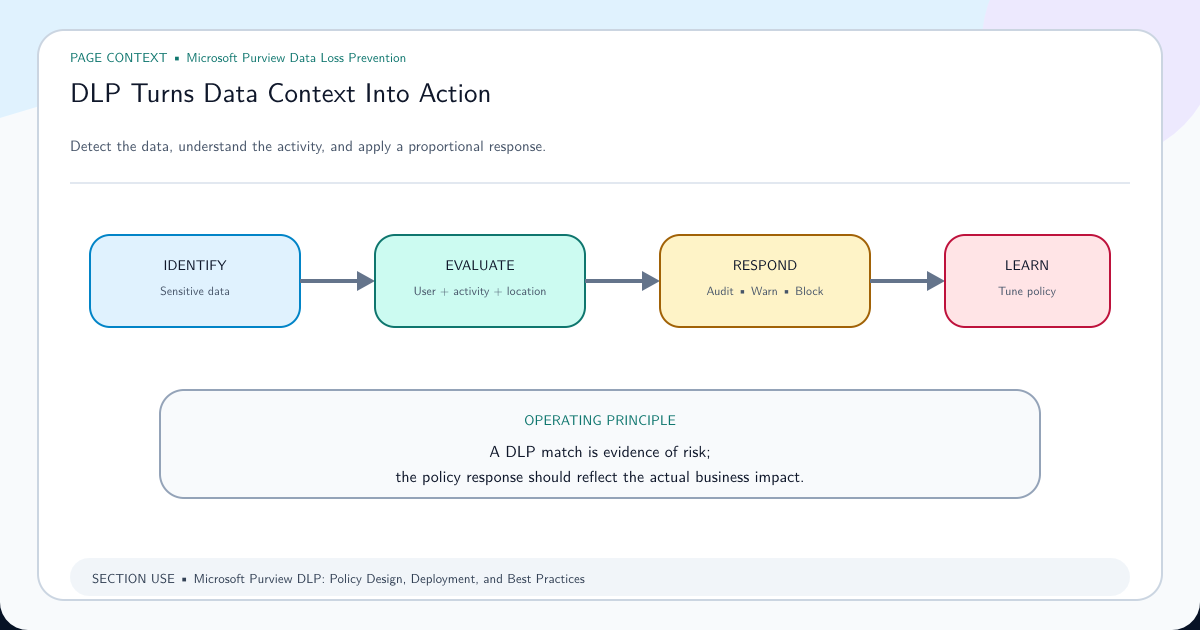
Data Map registers data sources, scans supported metadata and samples supported content for classification, records assets and relationships, and exposes governance context. Purview DLP evaluates supported content and user activities in configured locations and can audit, notify, restrict, or block them.
Both products share the Purview name, but they sit in different control planes. A classified table in Data Map is evidence that a scan found a pattern in sampled data. It is not proof that exports, queries, screenshots, applications, or users are prevented from moving that data.
A Data Map Classification Is Metadata, Not a Portable Guardrail
A classification such as a bank-account pattern describes what the scanner detected in an asset. It supports discovery, search, stewardship, and risk prioritization. It does not automatically modify database permissions, encrypt columns, mask query results, or create a DLP policy.
Microsoft Data Map sensitivity label FAQ distinguishes classifications from sensitivity labels. Data Map classifications remain scoped to the map where they were applied. Supported sensitivity labels represent business impact and can travel with labeled data in supported scenarios.
Neither signal grants universal enforcement. A label’s behavior depends on the workload and protection settings; a classification’s usefulness depends on scan coverage, sampling, and freshness.
Scanning and Sampling Create Coverage Boundaries
Data Map scans are connector-specific. Microsoft states that the service samples a subset of database data to determine classification and that administrators cannot customize the number of rows scanned. A successful scan therefore does not prove that every row was inspected.
Connector capability, supported file types, authentication, network access, scan rule sets, excluded paths, sampling, extraction, incremental behavior, and scan freshness all define the result. “No classification” means the configured process did not produce that classification; it does not prove the source contains no sensitive data.
Use Purview Data Map architecture guidance to inventory sources and measure coverage. Reserve stronger claims for controls that inspect the relevant data path at the time a decision is required.
Put Enforcement Where the Activity Occurs
For Microsoft 365 documents, email, endpoints, browser transfers, and other supported locations, configure Purview DLP according to the Microsoft DLP policy reference. Confirm each location’s supported conditions, scope, file types, activities, and prerequisites.
For databases and analytics platforms, use source-native access control, row or column security, masking, encryption, network controls, query monitoring, export controls, and application authorization. Data Map can help find ownership and sensitive classifications, but enforcement remains at the source or supported security integration.
For on-premises file shares and SharePoint Server, the Information Protection scanner can implement supported DLP matching and enforcement when configured for the on-premises repositories location. That is a scanner and DLP capability, not Data Map magically enforcing its catalog classification.
Build a Closed Loop From Discovery to Verified Remediation
A useful architecture begins with source inventory and Data Map scanning, assigns an owner, validates the finding, chooses the correct enforcement plane, implements a change, and records verification evidence. Data Map remains the discovery and governance context rather than pretending to be every downstream control.
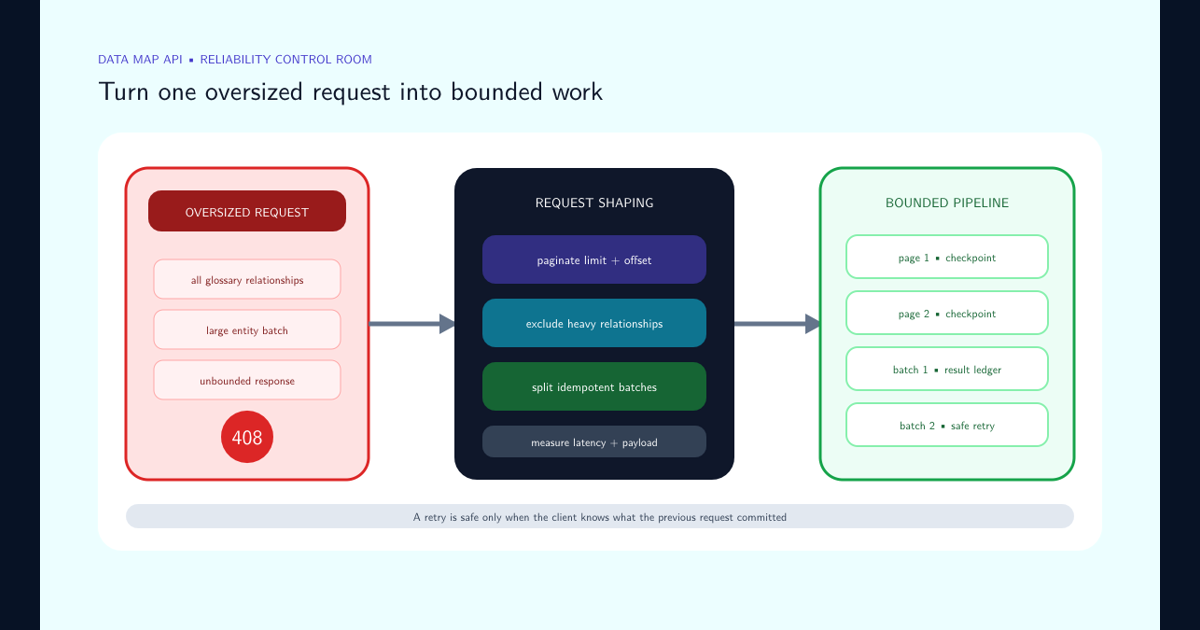
When metadata automation fails with request timeouts, use the Data Map API HTTP 408 troubleshooting guide to preserve reliable ingestion without confusing higher capacity with smaller request graphs.
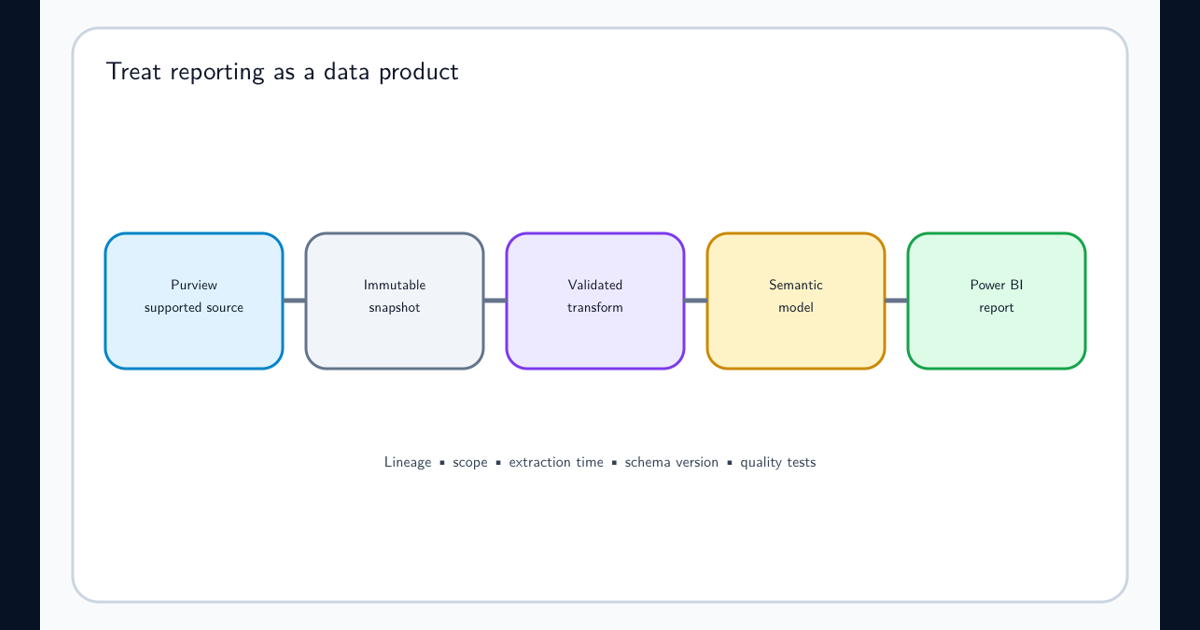
Define handoff fields: asset identifier, source, collection, classification, scan time, evidence limit, owner, risk decision, target control, remediation status, validation time, and exception expiry. Use Data Estate Insights Power BI reporting only when those definitions and scopes are preserved.
Re-scan and verify the source after remediation, but do not use disappearance of a classification as the sole proof that access or movement is controlled. Validate the actual security control in its own system.
State Data Map Conclusions Without Overclaiming
Say “the last successful scan classified this asset as containing the configured data type within the connector’s supported sampling and extraction behavior.” Do not say “Purview prevents this data from leaving” unless an enforcement control was configured and tested.
Say “the asset has an assigned owner in the catalog.” Do not say “the owner approved every use.” Say “lineage records a supported relationship.” Do not say “all downstream copies are known.”
Precise claims make the Data Map more credible. Its value is a governed map of assets, context, and relationships that helps people select and verify the right controls—not a universal enforcement switch.
Frequently asked questions
Does Microsoft Purview Data Map enforce DLP policies?
No. Microsoft explicitly states that Data Map does not provide the DLP capabilities supported for Microsoft 365 apps and services. It discovers and stores metadata and classifications; enforcement belongs to supported DLP locations and source controls.
Can Data Map encrypt a sensitive SQL table?
No. Microsoft states that encryption is performed at the data source. Data Map stores metadata and does not preview or transform the source data into an encrypted state.
Does a Data Map classification travel with the data?
Not generally. Microsoft distinguishes Data Map classifications, whose scope is the Data Map where they were applied, from supported sensitivity labels that can travel with labeled data.