Cyber Threat Intelligence Platform: Selection Guide
Learn what a cyber threat intelligence platform does, when a TIP adds value, which capabilities matter, and how to test, select, and implement one.
A cyber threat intelligence platform (TIP) should solve a coordination problem, not create a new place to store feeds. It centralizes the evidence, relationships, provenance, workflows, and distribution controls that analysts otherwise manage across disconnected systems. The right TIP helps analysts preserve where intelligence came from, connect related activity, manage confidence and time, collaborate on assessments, and deliver the right context to security tools and decision-makers. The wrong TIP becomes an expensive indicator warehouse that nobody trusts.
The decision is therefore not “Which TIP has the most features?” It is “Which intelligence workflows are failing today, and would a platform improve them enough to justify its cost and operating burden?”
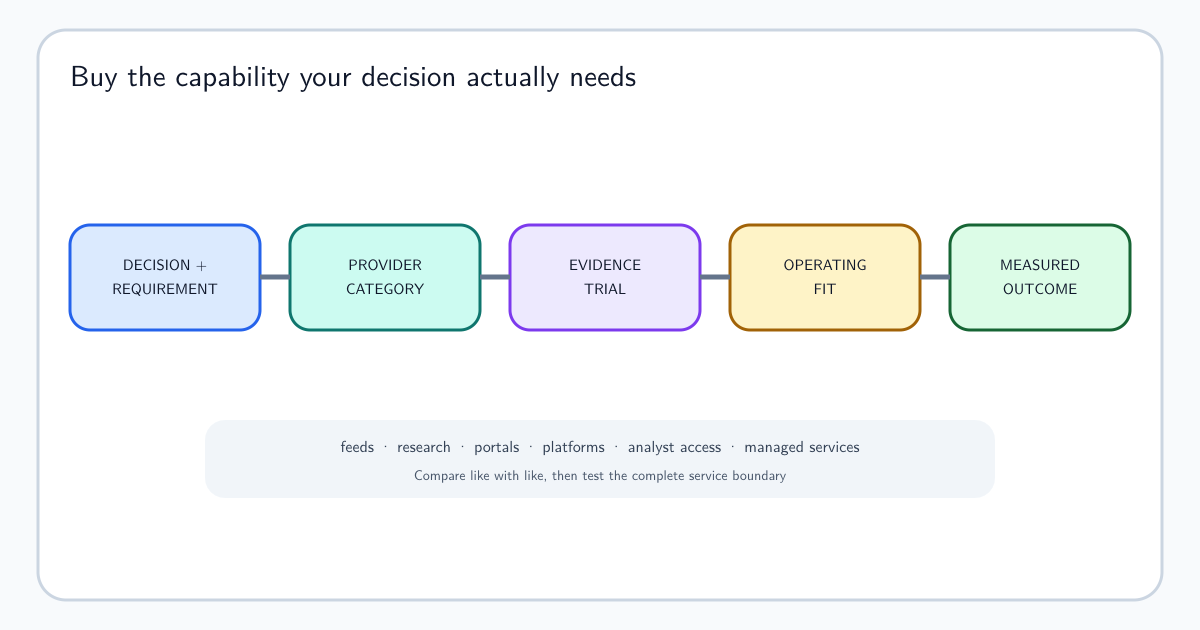
This guide helps you make that decision. It explains what a TIP is and is not, signs that you are ready, capabilities to evaluate, build-versus-buy tradeoffs, proof-of-concept tests, implementation ownership, and the final selection checklist. If the unresolved question is whether you need a platform, a feed, analyst access, specialist support, or managed delivery, use the CTI provider comparison guide first. For the wider operating model that technology must support, see How to Build a Cyber Threat Intelligence Program.
What Is a Cyber Threat Intelligence Platform—and What Problem Should It Solve?
A TIP can help when intelligence is fragmented across spreadsheets, email, chat, reports, case systems, feeds, scripts, and analysts’ personal notes. Typical problems include:
- nobody can trace an indicator back to its source;
- duplicate reporting looks like independent corroboration;
- the same actor or campaign has conflicting names and records;
- analysts repeat enrichment and research performed elsewhere;
- expired indicators continue generating alerts or blocks;
- corrections do not reach downstream tools;
- handling restrictions disappear during sharing;
- incident sightings do not update actor or campaign knowledge;
- stakeholders cannot find current assessments;
- source value and workflow performance cannot be measured.
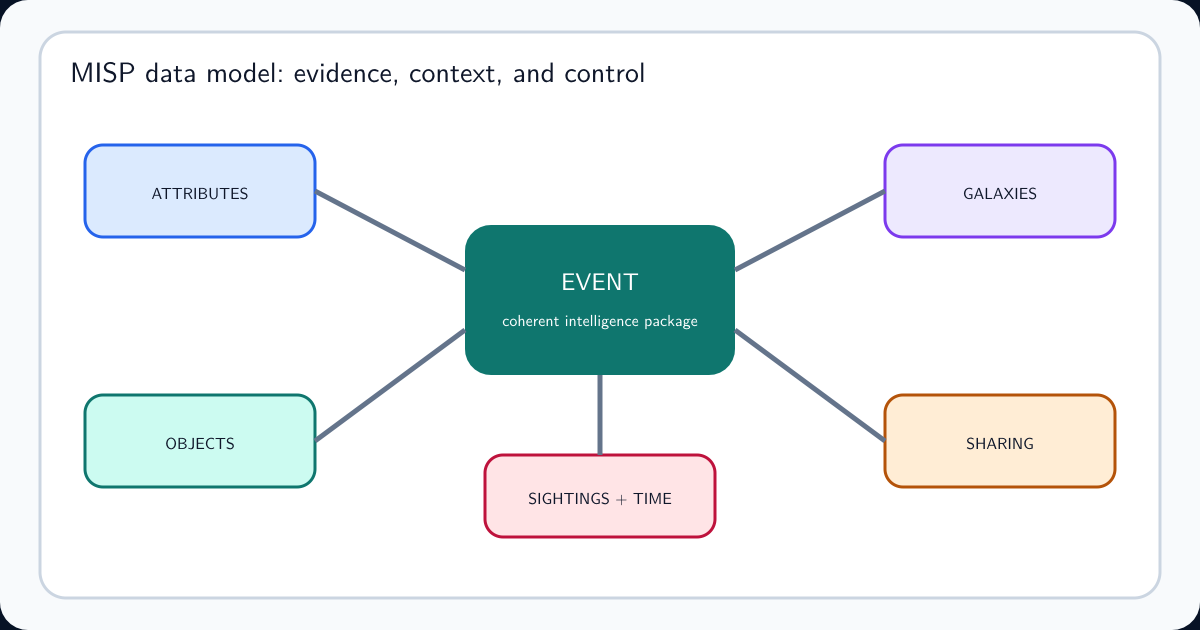
A TIP may address these problems through a common data model, workflow, automation, search, integration, and governance. For a concrete example, the MISP data model shows how events, attributes, objects, galaxies, sightings, and sharing controls divide those responsibilities. A platform cannot decide which threats matter, repair weak source quality, write sound assessments, create stakeholder trust, or supply staff time.
Write each problem as an observable outcome. “We need centralization” is vague. “An analyst should be able to trace a SIEM indicator match to its source, role, observation window, confidence, related procedure, and owner in under two minutes” can be tested.
Decide Whether You Are Ready for a TIP
A platform is more likely to help when most of these conditions are true:
- priority intelligence requirements and consumers are known;
- repeatable services and workflows already exist;
- multiple sources create meaningful normalization or provenance work;
- analysts need to relate actors, campaigns, malware, infrastructure, incidents, and sightings;
- indicator review, expiration, and downstream distribution require control;
- several analysts or teams need shared records and permissions;
- integrations have clear use cases and owners;
- the organization can administer, secure, monitor, and improve the service;
- success can be measured against current baselines.
Delay the purchase when the mission is unclear, every request is ad hoc, there is no source owner, analysts cannot access internal context, or the team has no capacity to use the data already collected. In those cases, improve the CTI lifecycle and service catalog first.
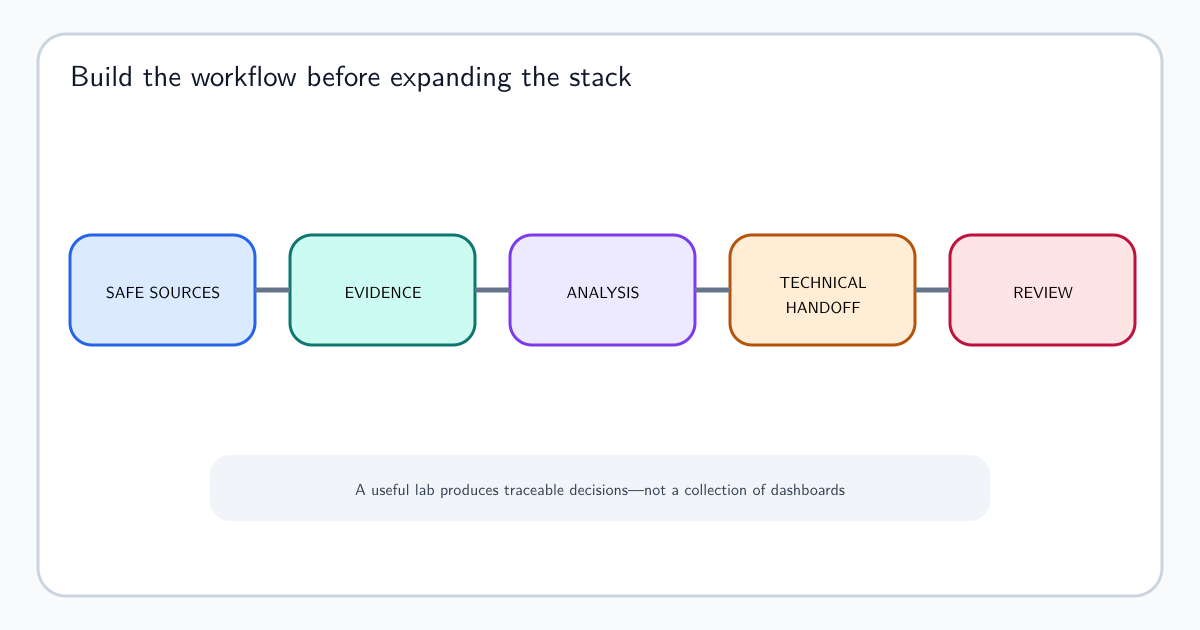
A small program can often begin with a case system, controlled source register, document repository, automation scripts, and existing security integrations. Choose that route deliberately and define the threshold that would justify a TIP later. For individual skill-building, a threat intelligence home lab can test the workflow with safe data before platform complexity is introduced.
The Capabilities Worth Evaluating
Organize requirements by workflow rather than feature count.
Ingestion and processing: source connectors, APIs, files, manual entry, parsing, normalization, deduplication, translation, enrichment, confidence mapping, and error handling.
Provenance and time: original source, upstream dependency, observation and collection timestamps, transformations, version history, retractions, and traceability.
Data model: indicators, sightings, actors, campaigns, malware, tools, vulnerabilities, infrastructure, identities, locations, reports, relationships, notes, and custom concepts. Test whether your analysts can understand and maintain the model.
Analysis: search, graphing, timelines, pivots, comparison, link analysis, notebooks, case views, evidence attachment, hypotheses, and confidence.
Indicator lifecycle: candidate review, validation, status, expiration, revocation, false positives, sightings, allowlisting, and distribution by intended use.
Workflow and collaboration: requirements, tasks, cases, approvals, peer review, comments, ownership, notifications, service levels, and feedback.
Sharing and delivery: structured exchange, reports, portals, collections, markings, communities, SIEM, EDR, SOAR, firewalls, ticketing, and messaging.
Governance and operations: access control, tenant separation, audit, retention, encryption, backup, availability, health monitoring, data location, export, and deletion.
A long capability list is not a reason to buy. Mark every requirement must-have, should-have, or optional, and tie must-haves to a named workflow and measurable test.
Understand Where the TIP Fits
A TIP is one part of a security and intelligence architecture.
- SIEM and data platforms hold high-volume organizational telemetry and run analytics.
- EDR, NDR, email, identity, and cloud tools observe and respond within their domains.
- SOAR coordinates actions and playbooks.
- Case and ticket systems manage incidents and accountable work.
- Knowledge and publishing systems hold methods and finished products.
- Vulnerability platforms manage affected assets, remediation, exceptions, and verification.
- A TIP manages threat knowledge, provenance, entities, relationships, indicator lifecycle, and intelligence distribution.
Products overlap. The architecture decision should name the system of record for each concept. Decide where a source record, indicator status, sighting, actor profile, incident, detection, vulnerability decision, requirement, and finished assessment lives—and how changes synchronize.
Avoid copying everything everywhere. Send the minimum context required for action, preserve a stable reference to the authoritative record, and define what happens when an integration fails or a record is revoked.
Compare Buy, Build, and Hybrid Options Honestly
Buy a platform when maintained connectors, support, security assurance, product upgrades, and faster deployment are worth the subscription and constraints. Risks include vendor lock-in, inflexible data models, unused features, unpredictable ingestion costs, and roadmap dependence.
Build internally when workflows are genuinely distinctive, existing data platforms already provide much of the foundation, or control and extensibility are essential. Include long-term engineering, product management, security, operations, documentation, user support, testing, and succession. A prototype is not an operating service.
Use a hybrid approach when a commercial core can handle standard ingestion and exchange while internal services provide organization-specific analytics, data, workflows, or delivery.
Compare total cost over several years:
- licenses, usage, storage, API, and premium modules;
- integration and migration;
- engineering and administration;
- source licensing restrictions;
- training and process change;
- security review and audit;
- backup, resilience, and monitoring;
- data export and exit;
- opportunity cost and time to useful service.
Do not label internal staff as free. Do not assume a vendor connector eliminates ownership. Every source and destination still needs semantic mapping, monitoring, and change management.
Run a Proof of Concept With Real Work
Select three to five representative workflows, current sources, and actual users. Good tests include:
- ingest two sources that describe the same activity differently and preserve both provenance chains;
- merge duplicate entities, then split an incorrect merge without losing history;
- trace an alert match from the SIEM to the indicator, source, time, role, confidence, and related behavior;
- expire or revoke an indicator and confirm the update reaches every destination;
- enforce a handling restriction for different user groups and exports;
- investigate a campaign through graph, timeline, search, and evidence views;
- create, review, publish, revise, and correct an assessment;
- simulate a failed connector and confirm monitoring, retry, and reconciliation;
- export all relevant data in a usable, documented format.
Measure analyst time, clicks, failure recovery, result quality, training need, API behavior, and support response. Include a novice user, an experienced analyst, an administrator, an integration engineer, and a downstream consumer.
Use the same test script for each option. Score evidence, not promises. If a requirement cannot be demonstrated, record the dependency, workaround, cost, and risk.
Plan Implementation as a Service Change
Assign a product or service owner before implementation. Define governance, data model, source onboarding, access, integrations, quality rules, operating hours, support, change control, and success measures.
Migrate selectively. Old records may lack provenance, timing, or reliable relationships. Importing them without quality labels can contaminate the new platform. Preserve a searchable archive when full migration adds little value.
Onboard sources in priority order. For each one, document purpose, owner, license, schema, confidence mapping, transformations, update cadence, quality tests, downstream use, and retirement procedure. The source framework in Cyber Threat Intelligence Sources applies directly.
Train by workflow rather than menu. Analysts should practice a complete investigation, review, correction, and dissemination. Downstream users should understand what a match means and where to find context.
Monitor both technical and intelligence health: connector failures, stale sources, parsing errors, queue age, duplicate rate, enrichment latency, missing provenance, expired indicators still deployed, access exceptions, workflow backlog, and user adoption.
The Final TIP Decision Checklist
Before approving a platform, confirm:
- the decision names specific current problems and baselines;
- must-have capabilities trace to priority workflows;
- simpler options were considered;
- real users completed representative tests;
- provenance, time, confidence, and handling survive every workflow;
- entity merging, splitting, correction, and revocation work safely;
- integrations have owners and failure monitoring;
- the security, privacy, retention, audit, and data-location model is accepted;
- total cost includes people, migration, integration, operations, and exit;
- data can be exported without losing critical meaning;
- a named owner has capacity and authority to run the service;
- success measures and a post-implementation review date are approved.
Choose the option that improves your most important workflows with acceptable cost and risk. A smaller platform that analysts understand and operate well can create more value than a sophisticated product whose data model, integrations, and governance nobody owns.
Frequently asked questions
What is a threat intelligence platform?
A threat intelligence platform, or TIP, is software that helps teams ingest, normalize, enrich, organize, analyze, distribute, and govern threat data and intelligence. Strong TIPs preserve provenance, time, confidence, relationships, handling restrictions, and workflow status rather than storing only indicator values.
Does every security team need a TIP?
No. A TIP becomes useful when source volume, relationship analysis, indicator lifecycle, sharing, integrations, and collaborative workflows have outgrown simpler tools. A team with unclear requirements or little capacity to analyze and act on intelligence should improve its operating process before adding a platform.
Is a TIP the same as a SIEM?
No. A SIEM primarily collects and analyzes security telemetry from an environment. A TIP manages external and internal threat knowledge, entities, relationships, provenance, and distribution. They should integrate, but neither replaces the other's main role.
Is a TIP the same as SOAR?
No. SOAR coordinates security actions and playbooks across systems. A TIP can supply intelligence and context to those playbooks. Some products overlap, so buyers should test required workflows rather than relying on category labels.
Should an organization build or buy a TIP?
Buy when standard workflows, maintained integrations, support, and faster deployment outweigh licensing cost and product constraints. Build when requirements are genuinely distinctive and the organization can fund long-term engineering, security, data modeling, operations, and support. Many teams use a hybrid model.
How should a TIP proof of concept be evaluated?
Use representative data and complete real workflows. Test provenance, deduplication, entity merging and splitting, indicator expiration, access controls, correction propagation, search, analysis, integration failures, export, and analyst time. A polished demonstration is not a proof of operational fit.
Who should own a threat intelligence platform?
A named service owner should be accountable for data models, source onboarding, integrations, access, quality, platform health, costs, change, and user outcomes. Technical administration can sit elsewhere, but CTI must own intelligence semantics and workflow requirements.