Build a Threat Intelligence Home Lab: Safe Stack and Labs
Build a safe threat intelligence home lab with isolated tooling, structured data, repeatable analysis exercises, and portfolio-ready outputs.
A threat intelligence home lab is a controlled place to practice the complete path from a decision question to collected evidence, an analytic judgment, a technical or executive handoff, and feedback. It should make your reasoning visible and repeatable. It does not need to imitate an enterprise SOC or ingest every public feed.
The fastest way to waste a lab is to install several platforms before defining an exercise. The result is usually a fragile stack, copied indicators, and screenshots that demonstrate administration rather than intelligence skill. Start with one consumer, one decision, one bounded dataset, and one output. Add infrastructure only when it removes a real workflow constraint.
This guide provides a safe architecture, three stack sizes, data-handling rules, platform choices, progressive exercises, validation methods, automation boundaries, maintenance practices, and a portfolio structure. It deliberately keeps live malware, unauthorized scanning, and personal or employer data outside the general lab.
Define the Decision and Deliverable First
Choose a realistic consumer and question. Examples include: Which reported campaign is relevant to a fictional software company? Which behaviors should a detection team validate? Does a new vulnerability change an exposure priority? What source gaps prevent a confident assessment? Each question implies different evidence, tools, and output.
Write an intelligence requirement with scope, time window, affected technology or business, decision owner, deadline, and success criteria. Then name the deliverable: a two-page assessment, a relationship map, a timeline, an indicator package with context, a detection handoff, or a short briefing.
A lab succeeds when another person can inspect the sources, reproduce the main reasoning, understand uncertainty, and act on the output. “MISP is running” or “the dashboard has data” is an infrastructure milestone, not an intelligence result.
Establish Safety, Data, and Authorization Boundaries
Use a dedicated local account or lab host, supported software, automatic security updates, unique credentials, multifactor authentication where available, restricted administrative access, encrypted storage, backups, and a documented rebuild path. Bind services to local or private interfaces unless remote access is intentionally secured. Do not expose default dashboards or APIs to the internet.
Keep employer, customer, victim, case, credential, and restricted feed data out of a personal lab. Record the source, access terms, license, collection time, permitted use, and redistribution constraints for every dataset. A public URL does not automatically grant unrestricted reuse.
Separate a CTI analysis lab from malware research, exploit testing, or internet scanning. Core intelligence exercises can use official advisories, public reporting, hashes, domains, STIX objects, benign packet captures, and synthetic logs. If a future exercise needs hazardous material, design a separately authorized environment with containment, monitoring, egress control, reset capability, and specialist review.
Use Five Simple Lab Zones
A practical design has five logical zones even when they are only folders or small containers:
- Source library: original reports, advisories, structured datasets, retrieval dates, and terms.
- Evidence workspace: extracted claims, observables, entities, relationships, timestamps, source references, and confidence.
- Analysis workspace: timelines, matrices, notebooks, hypotheses, alternatives, and drafts.
- Technical validation: benign telemetry, queries, rules, mappings, and test results.
- Outputs and review: assessments, briefings, handoffs, corrections, and retrospectives.
Preserve the boundary between raw source and analyst interpretation. A copied statement should retain its source and time. A relationship inferred by the analyst should be labeled as an assessment. This prevents the knowledge base from turning assumptions into apparent facts.
Choose a Stack That Matches the Exercise
Lightweight lab: use a browser, text editor, spreadsheet or small database, diagramming tool, version control, and scripts. This is enough for source evaluation, evidence tables, timelines, indicator lifecycle work, structured analytic techniques, reporting, and peer review. It is the best starting point because each analytic step remains visible.
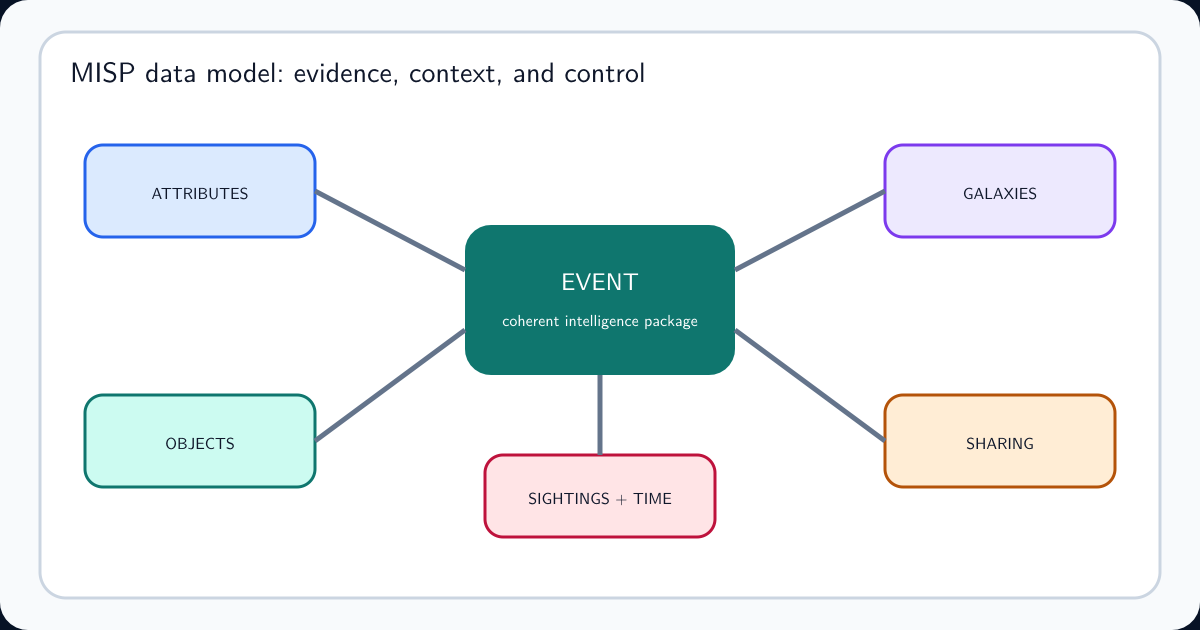
Knowledge-platform lab: add MISP or OpenCTI when you need entity relationships, structured imports, correlation, sharing controls, connectors, or platform operations. The official MISP install guidance provides supported installation paths; MISP’s download guidance recommends current MISP 2.5 deployments and warns that automatically generated test images are not production-ready. OpenCTI’s current installation documentation describes container and manual packages plus dependencies whose memory and maintenance costs should be planned.
Telemetry lab: add a supported evaluation deployment such as Security Onion, a small log platform, or replayable benign datasets only when an exercise needs network or endpoint evidence. Security Onion’s documentation explicitly distinguishes evaluation deployment from production. Treat that boundary seriously.
Build a Small, Governed Dataset
Begin with three to five sources about one bounded event, campaign, vulnerability, or behavior. Prefer primary advisories, vendor reports with technical evidence, government publications, and clearly licensed structured data. Record publication and observation dates separately; a report date does not show when activity occurred.
Extract only what the exercise needs: claims, entities, observables, relationships, time bounds, affected platforms, procedures, source references, handling, and confidence. Normalize obvious formatting differences without erasing the original value. Deduplicate only after deciding whether two records describe the same object, observation, or claim.
MITRE provides ATT&CK in STIX and lists official ATT&CK data and tools including Navigator and Workbench. Use ATT&CK to describe behavior and defensive questions, not as a substitute for evidence that a specific actor used a technique in the event you are analyzing.
Progress Through Six Repeatable Exercises
Exercise 1 — Source evaluation: compare three reports, trace repeated claims to originals, and grade source access, independence, specificity, and limitations.
Exercise 2 — Timeline: separate publication, observation, infrastructure registration, exploitation, and response time. Identify conflicts and gaps.
Exercise 3 — Relationship model: connect infrastructure, capabilities, victims, vulnerabilities, and reported actors while distinguishing direct evidence from inference.
Exercise 4 — Indicator package: add context, first and last seen, confidence, handling, expected false positives, expiration, and a revocation path to each observable.
Exercise 5 — Detection handoff: translate one reported procedure into a hypothesis, expected telemetry, query or rule idea, validation method, and known blind spots.
Exercise 6 — Decision brief: answer the original requirement in a short judgment-led assessment, state confidence and alternatives, and recommend a proportionate action.
Make Every Exercise Reproducible
Give each exercise a case identifier and store the requirement, source manifest, original files or durable references, extraction notes, evidence table, transformations, analysis, output, review comments, and retrospective together. Record tool versions and configuration only where they affect the result.
Use version control for text, queries, mappings, and rules, but do not commit secrets, restricted data, large raw collections, or personal information. Keep a data dictionary for fields such as confidence, source reliability, relationship type, first seen, last seen, and handling. Stable meanings matter more than an elaborate schema.
Re-run the exercise after changing one input. A corrected source, expired indicator, different time window, or alternative hypothesis should update the conclusion transparently rather than require a fresh undocumented analysis.
Validate Technical Handoffs With Benign Evidence
A CTI home lab should prove that technical recommendations are observable. For a reported procedure, list the relevant platform, expected events, required fields, time relationship, likely variants, and data gaps. Use synthetic logs, authorized test activity, documented sample events, or benign packet captures to test the logic.
Separate a match from a conclusion. A domain, hash, command line, or ATT&CK technique can initiate review but rarely proves actor identity or compromise by itself. Record false-positive conditions, query scope, time coverage, and what a negative result cannot exclude.
If the exercise crosses into hunting, follow the distinction in Threat Intelligence vs Threat Hunting: CTI provides relevance and hypotheses, while hunting tests for behavior in available telemetry.
Automate Repetition Without Hiding Judgment
Good automation retrieves permitted sources, verifies file integrity, parses stable fields, normalizes formats, checks schema, records timestamps, identifies duplicates for review, generates routine exports, and runs regression tests. It should preserve the original record and produce visible errors when assumptions fail.
Keep source selection, ambiguous entity resolution, confidence, attribution, relevance, and final judgments reviewable by a person. A connector can copy a relationship stated by a source; it cannot establish that the relationship is true. A model can propose a summary; it cannot repair missing provenance.
Store credentials outside scripts, use least-privileged accounts, pin or review dependencies, monitor failed jobs, and test restore. A home lab connected to many feeds and APIs becomes a maintained service with real security and data-governance obligations.
Turn Lab Work Into a Defensible Portfolio
Publish the problem, method, sanitized evidence structure, key judgment, confidence, alternatives considered, technical handoff, limitations, and retrospective. Remove personal data, victim details, credentials, restricted indicators, employer material, and anything whose redistribution terms are unclear.
Prefer a small number of complete cases to dozens of screenshots. A strong portfolio shows how you corrected a mistaken assumption, resolved conflicting dates, changed an assessment when new evidence arrived, or scoped a detection gap. Reviewers can then evaluate reasoning, writing, technical translation, and intellectual honesty.
Link code or machine-readable artifacts only when they help reproduce the work. Explain what each file does, its inputs, and failure conditions. Never present copied platform data or a generated graph as original analysis without source attribution.
Measure Learning and Keep the Lab Maintainable
Track completed end-to-end cases, source claims traced to originals, evidence fields with provenance, corrections incorporated, hypotheses tested, outputs reviewed, and exercises reproduced after input changes. Avoid vanity measures such as feed volume, indicator count, connector count, or dashboard count.
Patch hosts and applications, rotate credentials, review exposed ports, remove unused connectors, back up evidence and configuration, test recovery, record breaking changes, and archive completed cases. Current official documentation matters: OpenCTI documents upgrades and breaking changes, while MISP publishes maintained installation and release guidance.
Set a resource ceiling. If maintenance repeatedly consumes the time intended for analysis, reduce the stack. A smaller lab that supports one reliable workflow teaches more than a complex environment that remains broken.
Threat Intelligence Home Lab Checklist
Define one consumer, decision, scope, deadline, and deliverable. Use permitted, non-sensitive data. Separate sources from interpretations. Select the smallest stack that supports the exercise. Secure accounts, services, storage, secrets, backups, and network exposure. Record source, time, confidence, handling, transformations, and tool versions that affect results.
Complete source evaluation, timeline, relationship, indicator, detection-handoff, and decision-brief exercises. Test updates and corrections. Review the work against the requirement. Publish only sanitized artifacts with clear attribution and limitations. Patch the lab and remove components that do not improve the workflow.
The operating principle is: build a safe, reproducible path from evidence to decision, then add technology only when the next exercise requires it.
Frequently asked questions
What is a threat intelligence home lab?
A threat intelligence home lab is a controlled environment for practicing collection planning, source evaluation, data modeling, analysis, detection handoff, reporting, and feedback. It can begin with documents and spreadsheets; a full threat intelligence platform is optional.
How much hardware does a CTI home lab need?
A lightweight lab can run on an ordinary computer using local files, a browser, scripts, and one small virtual machine. Platforms with search clusters, message queues, connectors, and network telemetry need substantially more memory, storage, and maintenance. Size the lab to the exercise instead of installing every tool.
Should a beginner install MISP or OpenCTI first?
Not necessarily. First complete a manual workflow that preserves source, time, confidence, relationships, and handling. Add MISP or OpenCTI when the exercise requires a shared data model, correlation, connectors, or platform operations. Otherwise the platform can hide the skill you meant to practice.
What data should a CTI home lab use?
Use public reports, official advisories, openly licensed structured data, synthetic telemetry, and intentionally generated benign events. Record source terms and handling restrictions. Do not copy employer, customer, victim, or restricted data into a personal lab.
Should a CTI home lab run malware?
Malware execution is not required for learning core CTI. Beginners should use published reports, hashes, metadata, safe samples of logs, and synthetic activity. Any authorized malware-research environment requires separate containment, expertise, legal review, and recovery controls beyond a general CTI lab.
What should a CTI home-lab portfolio include?
Include a scoped intelligence requirement, source log, evidence table, timeline or relationship model, concise assessment with confidence and alternatives, technical handoff, and retrospective. Sanitize sensitive details and explain limitations rather than presenting tool screenshots as proof of analysis.