Purview eDiscovery Condition Builder: Multiple Keywords and OR Rules
Build Microsoft Purview eDiscovery searches with multiple keywords safely by understanding basic keyword behavior, uppercase KeyQL operators, c:s segmentation, phrases, properties, and statistics.
A Space Already Broadens the Search Like OR
Microsoft eDiscovery search guidance states that a space between two keywords or two property:value expressions behaves like OR. A query entered as contract termination therefore returns content matching either term, not necessarily both.
This default is useful for synonyms but dangerous when the reviewer intends co-occurrence. Write the intended logic in plain language first: any synonym, all concepts, exact phrase, proximity, property restriction, or exclusion.
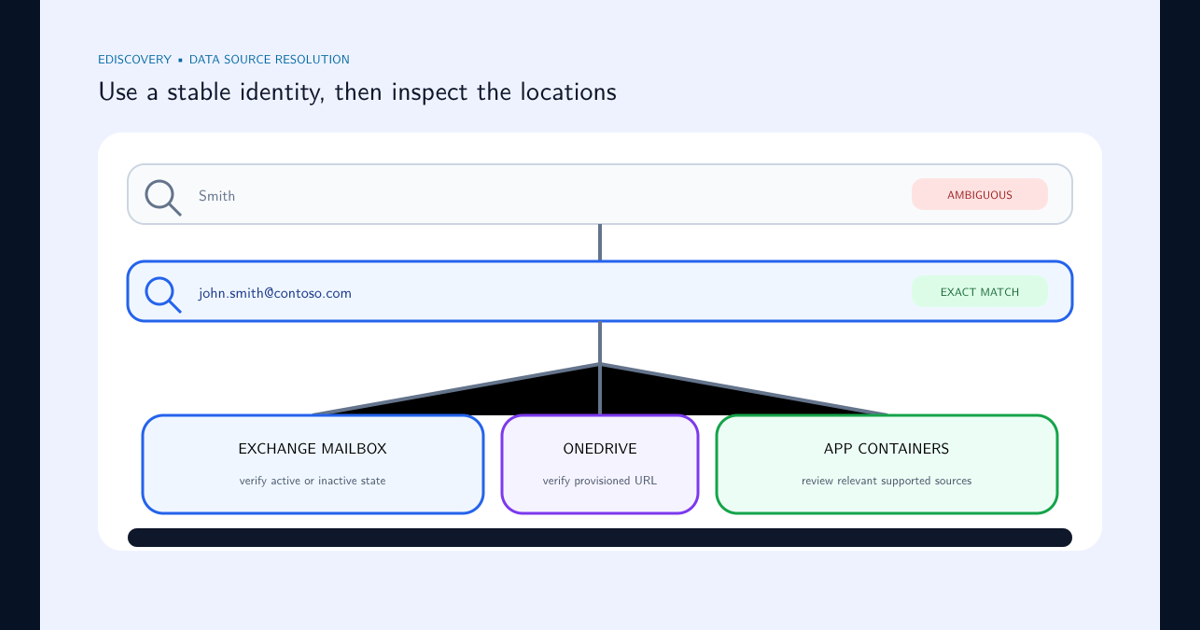
Query logic can only search the locations actually in scope. If the new portal cannot find the intended person or shows an incomplete user source, resolve the identity and its mailbox and OneDrive locations with the eDiscovery user data source lookup guide before tuning keywords.
Generate statistics for the broadest concept and each narrowing step. Sudden volume changes reveal a misunderstood operator more quickly than inspecting a few top results.
Use Standalone KeyQL for Explicit Boolean Logic
Add a KeyQL condition when the matter requires AND, OR, NOT, parentheses, properties, or NEAR. The Boolean operators must be uppercase. Keyword and property matching remains case-insensitive.
Microsoft KeyQL guidance says KeyQL is a standalone condition and cannot be mixed with other condition cards in the same query. Existing populated conditions can be converted, after which the generated expression should be reviewed carefully.
Parenthesize mixed logic. (contract OR agreement) AND (termination OR cancellation) expresses two required concepts with synonyms. Without parentheses, operator precedence can produce a different population.
Understand Multiple Keyword Segments and c:s
When multiple keyword segments are entered through the condition builder, the generated KeyQL can contain c:s. Microsoft documents this segmentation as a way to preserve segment boundaries and report hits per segment.
Do not remove or rearrange generated segmentation syntax without understanding its reporting effect. Convert a copy of the query, retain the original condition-card design, and compare statistics and hit reporting.
For complex productions or query-based holds, prefer a reviewed KeyQL expression with comments stored outside the query. The portal is not the change record; preserve versions, author, purpose, and approval in the case documentation.
Treat Quotes, Wildcards, Properties, and Case Deliberately
Use double quotes for multiword property values and exact phrases where supported. Microsoft warns that quotes stop wildcard and operator processing inside the quoted text. Test whether the phrase behavior matches the investigative intent.
Search is case-insensitive; Apple and apple cannot be distinguished in the query. If case is legally material, collect the broader population and apply authorized case-sensitive review after export or in an external review tool.
Use supported searchable properties and UTC-aware date ranges. A syntactically valid property restriction can still miss content when the property is unavailable or normalized differently in a workload.
Validate Every Query Version With Known Items and Statistics
Maintain authorized test items for each synonym, intersection, exclusion, phrase, property, date boundary, and near miss. Run Generate statistics before collection and record sources, query, time range, result count, size, warnings, and timestamp.
An empty keyword condition returns all content in the selected sources, not zero. Confirm a deliberately empty search before running it across a broad case.
Compare a sample of results and nonresults with counsel or the authorized matter owner. Search quality is a legal-scope decision as well as a syntax exercise.
Apply the Same Discipline to Query-Based Holds
A query-based hold controls preservation, so an operator mistake has consequences beyond search convenience. Review the expression, sources, and date behavior before applying it. Verify location status after deployment.
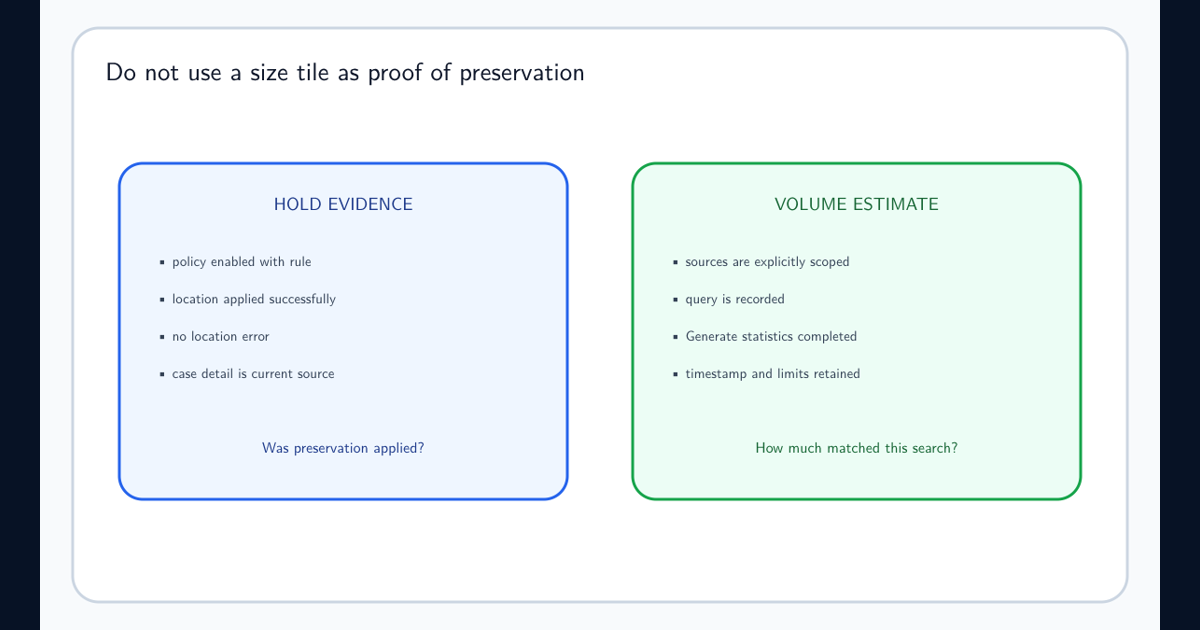
The hold status and size troubleshooting guide explains why successful location application is the preservation signal, while search statistics estimate a defined responsive population. Keep those questions separate.
Frequently asked questions
What does a space between two keywords mean in Purview eDiscovery?
Microsoft states that a space between two keywords or property:value expressions behaves like OR.
Must OR and AND be uppercase in KeyQL?
Yes. AND, OR, NOT, and NEAR must be uppercase to be parsed as operators. Keyword matching itself is case-insensitive.
Can Boolean operators be typed into the basic Keyword condition?
Use them in a KeyQL condition. Microsoft warns that the basic Keyword condition treats AND, OR, NOT, and NEAR as literal keywords.